The Best Open Source Vibe Coding Tools for Local LLM Lovers
The Best Free Alternatives to Cursor, Copilot, and Windsurf
The best open-source vibe coding tools available right now are:
| Tool | Type | Local LLM Support | Free to Use |
|---|---|---|---|
| Aider | Terminal agent | Yes (Ollama) | Yes |
| Continue | VS Code extension | Yes (Ollama) | Yes |
| VibeCode Studio | AI-native IDE | Yes (Ollama) | Yes |
| Vibe-Kanban | Agent orchestration | N/A | Yes |
| Cloudflare VibeSDK | Full-stack generator | No (cloud API) | Self-hostable |
| VibeScript | Prompt-to-app compiler | No (OpenAI key) | Yes (MIT) |
| bolt.diy | Browser-based builder | Yes (OpenRouter) | Yes |
All of the tools above are MIT or Apache licensed, meaning you can download, self-host, and modify them freely.
Vibe coding — the practice of building software through plain-English prompts instead of writing code by hand — has exploded in popularity. Searches for the term jumped 6,700% in Q2 2025 alone. Andrej Karpathy, who coined the phrase, described it as simply “giving in to the vibes, embracing exponentials, and forgetting that the code even exists.”
The problem? Most of the popular tools — Cursor, Windsurf, Claude Code — are proprietary, cloud-dependent, and expensive over time.
That’s where open-source alternatives come in.
They give you:
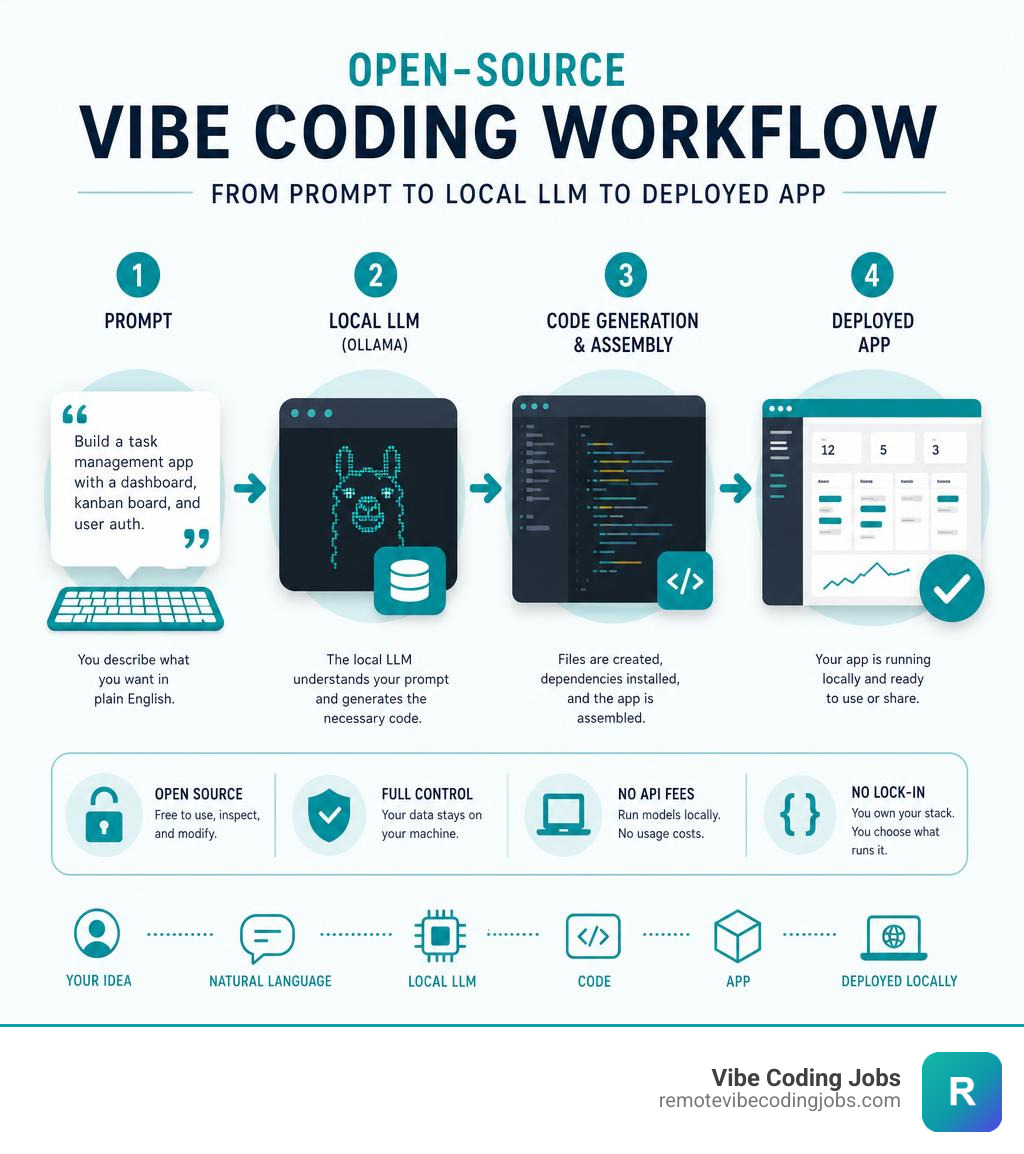
- Full control over your data
- The ability to run models locally (no API fees)
- No vendor lock-in
- Transparency into exactly what the tool is doing
And as of May 2026, the open-source ecosystem has caught up fast. Tools like Aider, Continue, and VibeCode Studio are genuinely competitive with their commercial counterparts — especially when paired with local models via Ollama.
Only 2.7% of professional developers highly trust AI tools to write good code, according to recent survey data. That trust gap is exactly why transparent, auditable, open-source tools matter — you can inspect the code, run it locally, and verify what’s happening under the hood.
I’m RVCJ Editorial, the content team at Remote Vibe Coding Jobs — we cover AI-assisted development workflows, remote developer hiring trends, and practical guidance for engineers building with open-source vibe coding tools and their commercial counterparts. In this guide, we break down the best free, open-source options by use case, so you can find the right tool for your stack without wading through hype.
Handy open-source vibe coding tools terms:
Why Developers are Switching to Open-Source Vibe Coding Tools
As AI code generation transitions from simple autocompletion to fully autonomous agents, developers are facing a critical choice. Proprietary tools offer polished interfaces, but they come with strings attached: monthly subscriptions, rate limits, and the requirement that your code pass through third-party cloud servers.
To understand this paradigm shift, it helps to look at What is Vibe Coding. It is a style of software development where the human acts as an architect, director, and reviewer, while AI agents handle the syntax, compilation, and file manipulation. When comparing Vibe Coding vs Traditional Development, the velocity gains are massive, but so are the risks of vendor lock-in.
By choosing open-source alternatives, developers regain ownership of their development environment. You can swap out the underlying LLM, customize the system prompts, run the entire stack offline, and avoid sending proprietary intellectual property to external servers.
Key Benefits of Open-Source Vibe Coding Tools for Privacy
For many organizations and security-conscious developers, privacy is the ultimate dealbreaker. Proprietary AI extensions analyze your codebase in the cloud, which is a compliance nightmare for regulated industries.
Open-source tools solve this by supporting local models through engines like Ollama. When you run a local model, your code never leaves your physical machine. There are zero data leaks, no telemetry issues, and complete compliance with strict data sovereignty laws. If you want to build a highly secure setup, utilizing open-source options is one of the Must-Have AI Tools for Vibe Coding strategies in 2026.
Avoiding Vendor Lock-In and API Fees
Commercial subscriptions quickly add up, especially when multiple team members require premium tiers. Worse, you are locked into whatever models the platform provider chooses to support.
With open-source tools, you can use:
- Local LLMs for completely free execution.
- Direct API Keys (from Anthropic, OpenAI, or Google) to pay only for the exact tokens you consume.
- Multi-model routers like OpenRouter to access hundreds of distinct models without changing your editor.
This flexibility allows you to build a custom, cost-effective Vibe Coding Tools: AI-Powered Arsenal that adapts to your budget and technical requirements.
Top Open-Source Vibe Coding Tools for Local and Offline Development
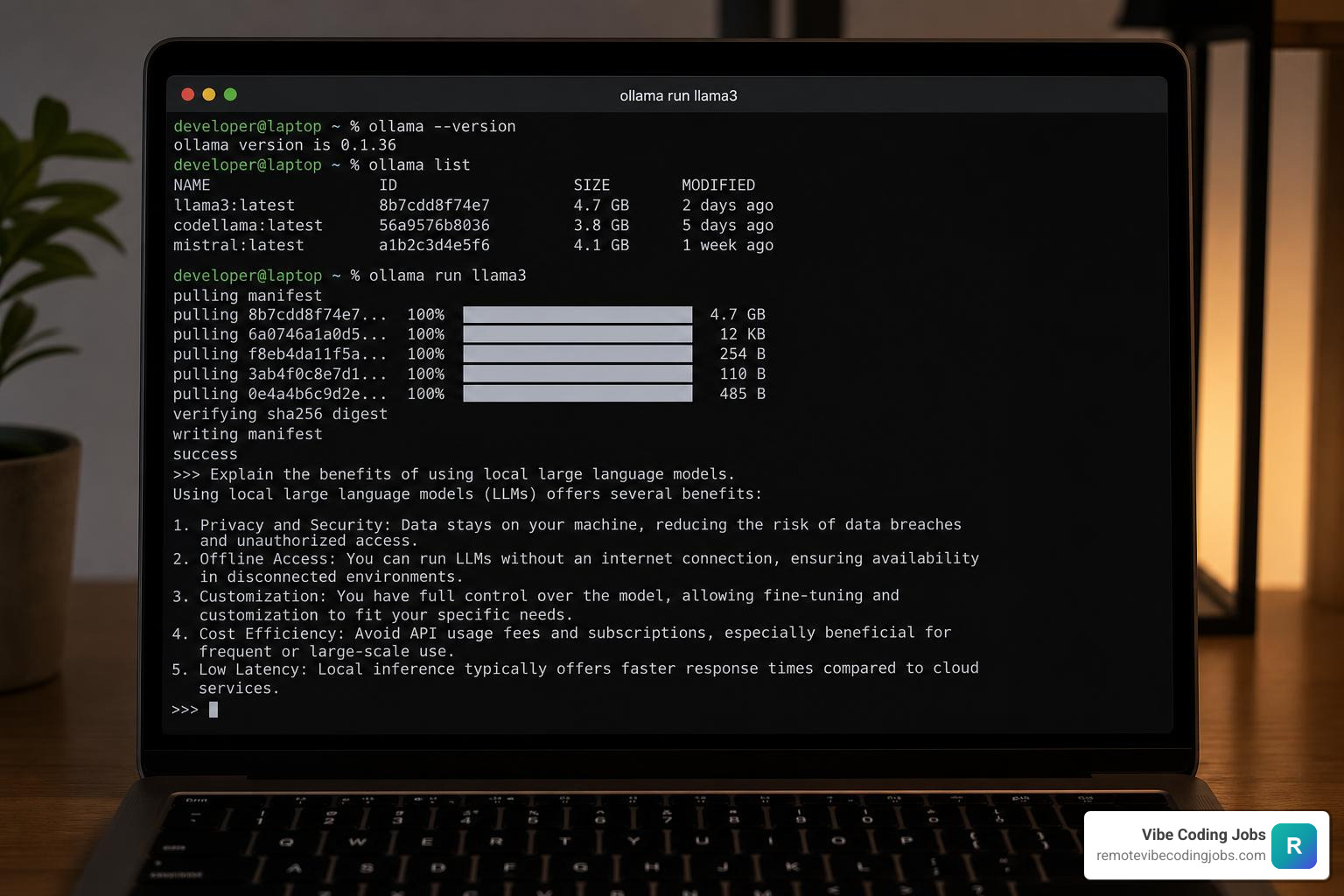
To run your vibe coding workflow locally, you need a tool that can communicate with local execution engines like Ollama. Paired with open-weights models like Llama 3 or CodeLlama, these tools allow you to prompt, run, and debug entirely offline.
How to Choose the Right Open-Source Vibe Coding Tools for Your Workflow
Every developer’s setup is unique. When selecting your stack, consider your comfort level with different interfaces:
- IDE Extensions are ideal if you want to keep your existing themes, hotkeys, and files.
- AI-Native Editors offer deeper, out-of-the-box semantic understanding of your code.
- Terminal Workflows are favored by power users who want rapid, keyboard-driven execution.
To help you choose, explore the landscape of AI Coding Tools for Vibe Coding to see how different form factors impact your daily velocity.
VibeCode Studio: The Multi-Model Powerhouse
For those looking for a complete, self-hostable alternative to Cursor, VibeCode Studio is a standout open-source project.
Built on the Tauri desktop runtime, VibeCode Studio is incredibly lightweight (~3-5MB bundle size compared to the 100MB+ of Electron-based editors). It uses PostgreSQL 16 with the pgvector extension to perform semantic vector searches across your local codebase, giving the AI agent a deep, contextual understanding of your project.
Key Features:
- Access to over 300+ models via OpenRouter or direct APIs.
- Full offline compatibility with Ollama.
- Seamless integration with Model Context Protocol (MCP) to connect external developer tools.
- Supports over 50+ VS Code extensions natively.
If you are transitioning from traditional setups, keeping an eye on projects like VibeCode Studio is essential, especially when compared to the Top AI Code Completion Tools for VSCode in 2024.
Cloudflare VibeSDK: Full-Stack App Generation
If you want to build and deploy web applications instantly from your browser using your own self-hosted platform, the cloudflare/vibesdk is an exceptional framework.
Built entirely on the Cloudflare developer stack, VibeSDK uses Durable Objects to manage stateful AI coding agents and Workers for Platforms to deploy sandboxed previews of your generated apps. It is perfect for teams that want to host an internal “prompt-to-app” generator for non-technical stakeholders to build prototypes without writing a single line of code.
VibeScript: Prompt-Driven Full-Stack Development
For a more experimental and humorous approach to natural-language programming, andr3wV/VibeScript compiles plain-English .vibe files into production-ready web interfaces.
VibeScript supports recursive, nested components and features built-in hot reloading, Vercel deployment, and beta support for Supabase database integration. It is designed to let you define your application structure in simple language (using emojis if that is your vibe) and let the compiler handle the rest.
Aider and Continue: Terminal and IDE Integrations
For developers who want to maintain their existing habits, the combination of Aider (for terminal-based agentic workflows) and Continue (as a VS Code or JetBrains extension) represents the gold standard.
- Aider acts as an AI pair programmer in your terminal. It can read your git repository, understand file structures, make multi-file edits, and automatically commit changes with clean messages.
- Continue embeds code generation, chat, and inline editing directly into your editor sidebar, allowing you to easily swap between commercial APIs and local Ollama instances.
Choosing between these styles comes down to your preference for IDE vs Terminal vs Autonomous AI Coding environments.
Orchestrating Your Workflow: Open-Source AI Agents and Kanban Boards
When you transition to vibe coding, you quickly realize that writing code is no longer the bottleneck. Instead, the challenge shifts to planning, orchestrating, and reviewing the output of multiple AI agents working in parallel.

Vibe-Kanban: Task Management for AI Agents
As AI agents do more of the heavy lifting, human developers spend more time acting as project managers. This is where BloopAI/vibe-kanban (and its active community fork nobodyet/vibe-kanban) comes into play.
Vibe-Kanban is an open-source project management board designed specifically for AI coding agents. It provides:
- A centralized kanban board to plan features and track agent progress.
- Dedicated agent workspaces with isolated git branches, terminals, and dev servers.
- Built-in browser previews with devtools to review agent-generated code instantly.
- Support for switching between over 10 different agent backends, including Claude Code, Gemini CLI, and custom local configurations.
By utilizing a visual orchestration layer, you can run multiple agents simultaneously on different tasks without losing track of your codebase’s state.
Memory Banks and Structured AI Planning
One of the biggest pitfalls of vibe coding is letting an AI agent plan your architecture autonomously. Without strict guidelines, agents can easily generate bloated, unmaintainable “spaghetti” codebases.
To prevent this, the open-source community has developed structured documentation strategies, as detailed in the README.md at main · EnzeD/vibe-coding repository.
The Memory Bank workflow recommends maintaining a .vibe or memory-bank/ folder containing:
system-architecture.md: Defines the tech stack and system boundaries.progress.md: Tracks completed, active, and upcoming tasks.AGENTS.md: Houses strict rules that the AI must read before writing code (e.g., “Do not create monolithic files,” “Always write unit tests for new utility functions”).
By keeping these files updated, you ensure that any AI agent you spin up has an instant, accurate understanding of the project’s state, making them highly effective Must-Have Vibe Coding Tools for long-term project maintenance.
Frequently Asked Questions about Open-Source Vibe Coding
Can I run open-source vibe coding tools completely offline?
Yes! Tools like Aider, Continue, and VibeCode Studio fully support offline execution. By installing Ollama on your local machine, you can download open-weights models (such as Llama 3, Mistral, or Qwen) and run them locally. This setup ensures 100% data privacy and incurs zero API usage fees. You will need a machine with a capable GPU (such as Apple Silicon or an NVIDIA RTX card) to get fast generation speeds.
How do open-source tools compare to Cursor or Windsurf?
Open-source tools excel in model flexibility, data privacy, and cost control. While proprietary editors like Cursor offer highly polished, out-of-the-box user experiences, open-source solutions allow you to host your own infrastructure, avoid strict monthly subscription limits, and swap out models at will. For a deeper breakdown of features, check out our comparisons of Cursor vs Windsurf Comparison and Vibe Coding Tools Comparison: Cursor vs Copilot.
What are the main limitations of open-source vibe coding?
The primary limitation lies in model reasoning. While local models have improved dramatically, the absolute best coding models (like Claude 3.5 Sonnet or GPT-4o) are still hosted in the cloud. Running smaller local models (like an 8B or 14B parameter model) on a laptop may result in more bugs or a struggle to understand highly complex, multi-file architectural changes. Additionally, setting up local developer environments and configuring model pipelines requires more technical troubleshooting than using a commercial one-click subscription.
Conclusion
The open-source vibe coding movement is democratizing software development. Whether you are a solo developer looking to protect your IP, a non-technical founder building a rapid prototype, or an engineering team operating under strict compliance laws, there is an open-source tool built to fit your workflow.
By combining editors like VibeCode Studio, extensions like Continue, and orchestration tools like Vibe-Kanban, you can build a powerful, private, and cost-effective development pipeline.
If you have mastered these workflows and love building software with AI, we can help you take the next step. At Remote Vibe Coding Jobs, we curate daily listings of remote, high-paying roles at async-first companies that actively encourage the use of AI-native workflows and open-source tools.
Find remote vibe coding jobs on our platform today and start building the future of software, your way.