
Why Every Developer Is Searching for an AI Tool to Create Documentation from Code
The best AI tool to create documentation from code right now is DocuWriter.ai — but the right choice depends on your workflow, team size, and the types of docs you need. Here’s a quick overview:
| Tool | Best For | Key Strength |
|---|---|---|
| DocuWriter.ai | Teams & solo devs | 12+ generators, Git sync, UML, OpenAPI |
| CodeGPT | VS Code users | Inline comments, README, 100+ languages |
| Mintlify | Developer-facing docs | PR-based auto-updates, great UX |
| Cursor | Vibe coders | Full codebase Q&A, multi-file context |
| Claude Code | Complex codebases | Deep reasoning, agentic, terminal-native |
| Aider | Terminal devs | Git-integrated, open-source, multi-LLM |
| ArchDoc Generator | Architecture docs | Multi-agent, RAG, dependency graphs |
| AI Documentor | Quick project docs | One-command setup, live preview |
| Swimm | Team knowledge sharing | IDE integration, continuous docs |
| Kodesage | Legacy & enterprise | Knowledge graphs, compliance-ready |
Writing code is the fun part. Writing documentation? Not so much.
Most developers would rather ship features than explain them. And yet, undocumented code is a silent tax — on onboarding, on maintenance, and on every developer who inherits a codebase without a map.
The numbers back this up. According to the 2025 DORA report, 64% of software development professionals now use AI for writing documentation. Teams using IBM’s watsonx Code Assistant reported cutting documentation time by an average of 59%. That’s not a small efficiency gain — that’s getting your Fridays back.
The shift is real. AI tools can now read your source code and generate inline comments, API specs, UML diagrams, READMEs, and even full architecture guides — automatically. What used to take days now takes minutes.
But the market is crowded, and not every tool fits every workflow. Some live in your IDE. Some plug into your CI/CD pipeline. Some specialize in legacy codebases or enterprise compliance. Picking the wrong one means friction, not freedom.
This guide cuts through the noise. We’ve rounded up the 10 best AI documentation tools available in May 2026, with honest breakdowns of what each one does best and who it’s built for.
We’re the RVCJ Editorial team at Remote Vibe Coding Jobs — we cover AI-assisted development tools, including hands-on experience evaluating every major AI tool to create documentation from code across real developer workflows. If you’re shipping code at async-first remote teams, this is the guide we wish existed when we started.
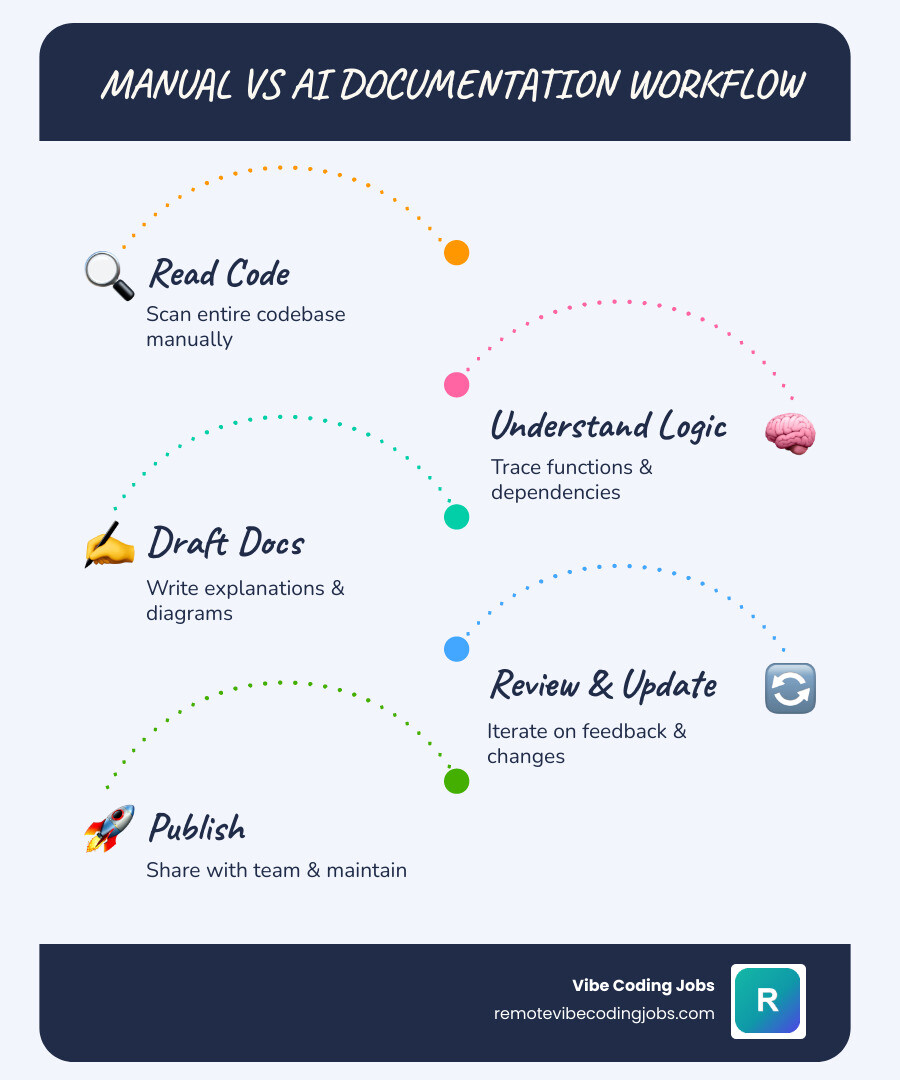
Basic ai tool to create documentation from code glossary:
Why Use an AI Tool to Create Documentation from Code?
Let’s be honest: writing documentation is often treated as the chore you leave for “tomorrow.” But tomorrow never comes, and suddenly you have a massive, tangled codebase that only one developer understands—and they just announced they are leaving the company.
Using an AI tool to create documentation from code completely shifts this dynamic. Instead of treating documentation as an afterthought, AI turns it into a real-time, automated sidekick. These tools analyze your raw source code, parse the logic, and write clear, human-readable explanations.
In the modern remote landscape, where async communication is king, having clear, up-to-date documentation is essential for maintaining high velocity. As we explore in our guide on Remote Developer Jobs Ai Tools Productivity, utilizing AI to handle repetitive administrative tasks allows engineering teams to focus on actual system design and problem-solving. It is the ultimate productivity multiplier.
For a deeper dive into the industry-wide shift toward automated workflows, check out the insights on AI Code Documentation: Benefits and Top Tips – IBM, which highlights how AI-driven documentation maintains higher compliance standards and cuts down on developer burnout.
The Benefits of Automated Code Documentation
When you hand over the writing of docs to a specialized AI tool, the benefits ripple across the entire engineering department:
- Massive Time Savings: Instead of spending hours writing docstrings, explaining parameters, or outlining API payloads, developers can generate clean docs in seconds.
- Absolute Consistency: AI tools never get tired. They follow the exact same formatting rules, style guidelines, and language-specific standards (like JSDoc, Docstring, or Javadoc) across thousands of files.
- Frictionless Onboarding: When a new developer joins a remote team, they don’t have to ping senior engineers every five minutes. They can read auto-generated architectural maps and codebase overviews to get up to speed on day one.
- Better Collaboration: Clear, accessible explanations bridge the gap between frontend, backend, and product teams.
By automating these processes, remote teams can work asynchronously without losing context, as discussed in Remote Developer Jobs Ai Tools Productivity Collaboration.
Overcoming the Legacy Code Challenge
We have all been there: you inherit a legacy codebase with zero comments, outdated dependencies, and a complete lack of documentation. The original developers are long gone, and making a single change feels like defusing a bomb in the dark.
This is where an AI tool to create documentation from code shines brightest. Advanced AI models can perform a structural and semantic analysis of a legacy codebase, tracing how data flows through various modules and identifying hidden dependencies. They can generate interactive maps, document legacy API endpoints, and explain complex, tangled logic in plain English.
This allows developers to refactor safely, understand the impact of their changes, and quickly modernize older software. To learn more about how integrating AI tools into your legacy stack can prevent technical debt, check out Remote Developer Jobs Ai Tools Stack Integration Benefits.
10 Best AI Tools for Writing Code Documentation
To help you find the perfect fit, we’ve reviewed the absolute best AI documentation tools on the market in 2026. Whether you are a solo developer, an open-source maintainer, or managing an enterprise team, there is a tool here for you.
DocuWriter.ai

DocuWriter.ai is a powerhouse platform built specifically for comprehensive code documentation. Trusted by over 37,100 developers at institutions like MIT and NVIDIA, it specializes in transforming entire code repositories into clean, structured guides.
- How it Works: You connect DocuWriter.ai to your GitHub, GitLab, Bitbucket, or Azure DevOps repository. The platform processes your code in-memory (meaning your code is never stored or used for AI training) and automatically generates documentation.
- Key Features: It boasts 12+ specialized generators, including Swagger/OpenAPI 3.1 specifications, UML class/sequence diagrams, README files, automated test suites (for Jest, PyTest, JUnit, etc.), and code optimization suggestions.
- Synchronization: With its “Documentation on Autopilot” feature, DocuWriter.ai detects code changes and updates your documentation in real-time.
- Learn More: Check out how to Turn repositories into documentation automatically and explore the full suite of features on the Features | AI Documentation Tools for Developers | DocuWriter.ai page.
CodeGPT
If you want an AI documentation assistant that lives directly inside your IDE, CodeGPT is an exceptional choice.
- How it Works: Available as a popular VS Code extension, CodeGPT acts as your in-editor copilot.
- Key Features: To document your code, simply highlight a block of code, right-click, and select “CodeGPT: Document CodeGPT”. The tool instantly analyzes the context and generates high-quality inline comments, function-level docstrings, and comprehensive README files.
- Supported Languages: CodeGPT supports over 100 programming languages, making it incredibly versatile.
- Learn More: Get started with the AI Code Documentation Generator – CodeGPT to streamline your in-editor documentation workflow.
ArchDoc Generator
For developers who need deep, system-level architecture analysis, @techdebtgpt/archdoc-generator is a specialized CLI tool that automates the creation of high-level architecture documentation.
- How it Works: Built using the LangChain framework, ArchDoc Generator utilizes a multi-agent workflow. It deploys 11 specialized AI agents—focusing on security, technical debt, data contracts, and dependency mapping—to analyze your codebase.
- Key Features: It supports 17 programming languages out of the box. It uses hybrid retrieval (combining semantic search with structural dependency graphs) and saves all outputs locally as JSON. This allows you to run zero-LLM-cost local queries and easily export your architecture maps to different formats.
AI Documentor
If you are looking for a fast, simple, and highly visual way to document a project, aleclindz/ai-documentor is an open-source npm package that generates beautiful documentation with a single command.
- How it Works: You install the package globally, add your OpenAI API key, and run a simple command in your project directory.
- Key Features: AI Documentor uses GPT-4 to analyze your codebase and generate structured documentation, including project overviews, frontend component breakdowns, backend API endpoints, database schemas, and user flows.
- Live Preview: It starts a local server (localhost:3000) with hot-reloading, allowing you to preview your beautiful, interactive documentation and watch it update automatically as you change your code.
Cursor
Cursor has quickly become the absolute favorite AI-native code editor for “vibe coders” and professional developers alike.
- How it Works: Built on top of VS Code, Cursor integrates LLMs directly into the core editor experience rather than sitting in a side panel.
- Key Features: Cursor excels at codebase Q&A. You can ask Cursor to explain how a complex multi-file feature works, and it will generate a comprehensive overview of the logic. By utilizing a project-level
.cursorrulesfile, you can ensure that all code and documentation generated by Cursor adheres to your team’s custom style guidelines. - Learn More: Compare the top AI editors in Cursor Vs Copilot Vs Claude and find out how developers are using it to land top remote positions in Cursor Copilot Developer Jobs Remote Coding.
Aider
For terminal-native developers who prefer command-line interfaces over heavy IDEs, Aider is a brilliant open-source AI pair programmer.
- How it Works: Aider runs directly in your terminal and connects to leading LLMs (like Claude 3.5 Sonnet or GPT-4o) to edit your code and write documentation.
- Key Features: Aider is fully Git-aware. When you ask Aider to document a module, it analyzes the files, writes the documentation, and automatically commits the changes to Git with a clear, descriptive commit message. Its repository map feature ensures that the AI understands how all files in your project relate to one another.
- Learn More: Read our full review of Aider and other terminal tools in Best Ai Coding Tools Vibe Coders 2026.
Claude Code
Anthropic’s Claude Code is an agentic coding tool that lives in your terminal and brings the incredible reasoning capabilities of Claude models directly to your local development environment.
- How it Works: Unlike simple code completion tools, Claude Code operates as an autonomous agent. It can run terminal commands, execute tests, and perform multi-step planning.
- Key Features: Claude Code is perfect for generating highly accurate, deep-reasoning documentation for large, unfamiliar codebases. It uses extended thinking to map out complex systems and uses a local
CLAUDE.mdfile to remember your project’s specific style guide and development rules. - Learn More: Discover how to leverage Claude Code in your daily workflow with Vibe Coding With Ai A Beginner S Practical Guide 2026.
Mintlify
Mintlify is a beautiful, developer-first platform designed to build public-facing, interactive documentation.
- How it Works: Mintlify connects directly to your GitHub repository and monitors your codebase.
- Key Features: It automatically detects changes in your code and suggests documentation updates via pull requests. Mintlify is famous for creating stunning, readable, and highly interactive API references and user guides that make your product look incredibly professional.
Swimm
Swimm focuses on “continuous documentation,” solving the age-old problem of documentation drifting out of sync with code changes.
- How it Works: Swimm integrates with your IDE and your CI/CD pipeline to ensure that documentation is treated as part of the codebase.
- Key Features: It uses “Auto-sync” technology to automatically update code snippets inside your documentation when the underlying source code is refactored. This ensures your team’s internal knowledge base is always accurate.
Kodesage
Kodesage is an enterprise-grade AI documentation tool specifically designed to tackle complex legacy systems and compliance-heavy environments.
- How it Works: Kodesage analyzes your repositories, issue trackers, and historical commits to build a unified system knowledge graph.
- Key Features: It is exceptional at generating audit-ready documentation, tracing security compliance, and helping large enterprise teams map out tangled legacy dependencies when the original developers are no longer around.
Key Features to Look For in a Documentation Generator
When selecting the perfect AI tool to create documentation from code, you should evaluate several core features to ensure it integrates smoothly into your workflow:
- Multi-Language Support: Ensure the tool supports your entire tech stack—whether that’s TypeScript, Python, Go, Rust, or legacy COBOL.
- Model Context Protocol (MCP) Integration: Look for tools that support MCP, allowing you to connect your documentation directly to AI assistants like Claude, Cursor, or VS Code.
- Security and Privacy: Confirm how your code is processed. Enterprise-ready tools like DocuWriter.ai process code in-memory only and never store it or use it to train public models.
- Collaboration Features: The tool should make it easy to share, export (e.g., to Confluence or Notion), and organize documents into collaborative workspaces.
To see these features in action, check out the specialized options available on Features | AI Documentation Tools for Developers | DocuWriter.ai.
How to Evaluate an AI Tool to Create Documentation from Code
To choose the right tool, ask yourself these questions:
- Where do I want the AI to live? (In the terminal, in the IDE, or as a background Git integration?)
- What is my budget? (Are you looking for open-source CLI tools where you pay only for API tokens, or a polished SaaS subscription?)
- How complex is my codebase? (Do you need simple docstrings, or a multi-agent system to build architectural diagrams?)
For a broader look at the essential tools in a developer’s kit, read our breakdown of Must Have Vibe Coding Tools.
Integrating an AI Tool to Create Documentation from Code into Your CI/CD Pipeline
The ultimate documentation workflow is one where you don’t have to think about it at all. By integrating your documentation tool into your CI/CD pipeline (such as GitHub Actions or GitLab CI), you can run documentation checks and updates on every pull request.
For example, you can set up a workflow where the AI scans the Git diff of a newly merged branch, automatically generates updated release notes, modifies the README, and pushes the updated docs directly to your hosting platform. To explore how to build these automated pipelines, check out Vibe Coding Tools.
Frequently Asked Questions about AI Code Documentation
How accurate is AI-generated code documentation?
AI-generated documentation is highly accurate for explaining code structure, parameter types, and standard algorithms. However, AI can still occasionally hallucinate or miss highly specific domain logic. For the best results, we recommend a “human-in-the-loop” approach: let the AI do 90% of the heavy lifting, and have a developer quickly review and refine the output before merging.
What programming languages do these AI tools support?
Most modern AI documentation tools support all major languages, including TypeScript, JavaScript, Python, Java, Go, Rust, C#, C++, PHP, and Ruby. Specialized tools like CodeGPT support over 100 languages, while CLI tools like ArchDoc Generator support 17 languages out of the box.
How do AI documentation tools handle data privacy and security?
This varies by tool. Premium platforms like DocuWriter.ai process your source code in-memory only, meaning your proprietary code is never stored on their servers and is never used to train future AI models. If you are working in a highly regulated industry, look for tools that allow you to use local LLMs (via Ollama) or offer enterprise-grade privacy guarantees.
Conclusion
Writing documentation doesn’t have to be a chore that drains your team’s energy. By adopting an AI tool to create documentation from code, you can save 15+ hours per week, onboard new developers in record time, and keep your internal knowledge bases perfectly synchronized with your code.
If you are a developer who loves building applications with cutting-edge AI tools and wants to work with forward-thinking, async-first remote companies, we can help. Explore remote vibe coding jobs with top AI tools and find your next remote role today!