
The Best Async Communication Tools to Replace Your Zoom Calendar in 2026
The best async communication tools for developers and remote teams in 2026 are:
| Tool | Best For | Starting Price |
|---|---|---|
| Slack | AI-powered team messaging | $7.25/user/month |
| Twist | Thread-first, distraction-free chat | $6/user/month |
| Loom | Async video messaging | $12.50/user/month |
| Notion | Docs, wikis, and project hubs | $8/user/month |
| GitHub | Developer code review and collaboration | Free tier available |
| Asana | Task and goal tracking | Free tier available |
| Canopy | Local-first, AI-agent-friendly messaging | Free (self-hosted) |
You know that feeling when a Slack message could have solved everything — but instead you’re on your fourth Zoom call before lunch?
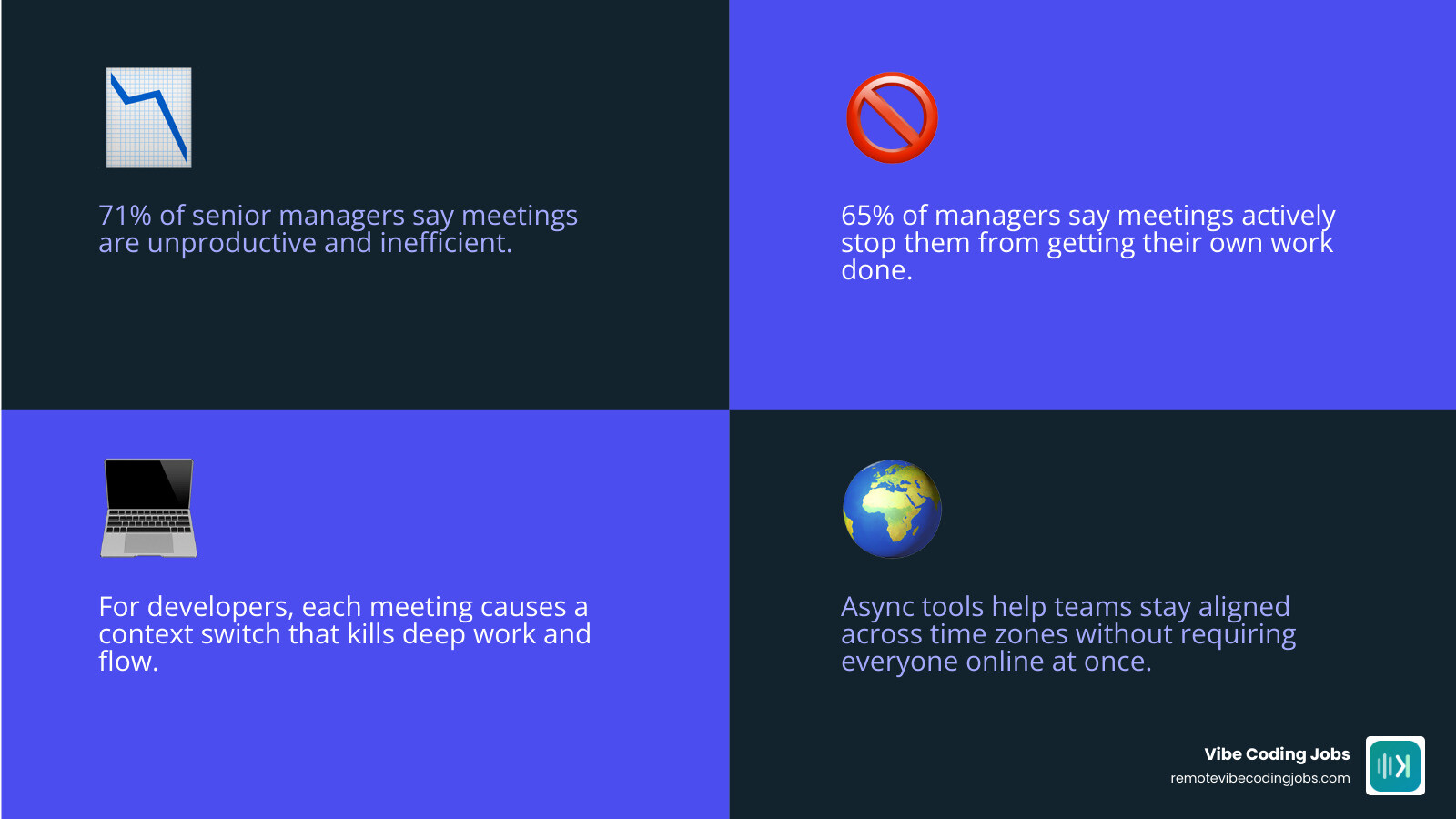
You’re not alone. 71% of senior managers say meetings are unproductive and inefficient. Another 65% say meetings actively stop them from getting their own work done.
For developers especially, every calendar invite is a context-switch. It breaks flow, kills deep work, and eats the hours you actually need to ship code.
The good news: there’s a whole ecosystem of tools built specifically to replace those meetings with something better — threaded messages, async video, shared docs, and AI-powered automation that keeps teams aligned without anyone needing to be online at the same time.
This guide covers the top async tools worth using in 2026, who they’re best for, and how to actually build an async-first workflow that works.
I’m Dominic Zijlstra, co-founder of Adaptify.ai and former DevOps and data infrastructure engineer — I’ve spent over a decade building and working inside distributed teams that depend on async communication tools to stay productive across time zones. I’ll cut through the noise and show you exactly what’s worth your attention.
What is Asynchronous Communication and Why It Beats Real-Time Meetings
To understand why modern teams are ditching their packed Zoom calendars, we have to look at how we communicate.
Synchronous communication happens in real time. It requires everyone to be present at the exact same moment. Think of phone calls, in-person huddles, and back-to-back Zoom meetings. If you are not there, you miss the conversation.
Asynchronous (async) communication, on the other hand, does not happen in real time. There is a “time lag” between when a message is sent and when it is answered. You send an update, ask a question, or record a video, and your teammate responds when it fits into their schedule.
For knowledge workers — and developers in particular — the synchronous model is a productivity killer. When you look at Remote Work vs Office Developers, the biggest advantage of working remotely is the ability to control your own schedule. But if your day is fragmented by live meetings, you lose that autonomy.
Every live meeting forces a context-switch. Research shows that it takes an average of 23 minutes to get back into a state of deep focus after an interruption. If you have four meetings scattered across your day, you effectively have zero hours of uninterrupted deep work.
By shifting to an async-first culture, you protect your team’s flow state. You can weigh the Remote Work Pros and Cons 2026 and see that while remote work offers unmatched flexibility, it only succeeds when we stop trying to replicate the physical office digitally. Async communication is the key to unlocking true scheduling flexibility, allowing everyone to work when they are most creative and productive.
Key Benefits of Async Communication Tools for Distributed Teams
Using async communication tools is not just about avoiding Zoom fatigue; it is a fundamental upgrade to how your team operates. Here are the core benefits:
- Unmatched Time Zone Flexibility: In 2026, the best talent is global. Fully remote job postings in the United States increased from 10% in Q1 2023 to 15% in Q4 2024, and that trend has only accelerated. Trying to align calendars between New York, London, and Tokyo for a live stand-up is a recipe for sleep deprivation. Async tools let everyone collaborate seamlessly without requiring 3:00 AM huddles.
- Better Mental Health and Less Stress: Constant real-time notifications create a state of high anxiety and the pressure to be “always on.” When we look at Remote Work Mental Health Developers, reducing digital stress is crucial. Async tools allow employees to turn off notifications, focus on their work, and respond thoughtfully rather than reactively.
- Higher Quality, Thoughtful Responses: In a live meeting, the loudest voice or the fastest thinker often wins. Async communication acts as an equalizer. It gives introverted team members or those who need processing time the space to write well-structured, thoroughly researched contributions.
- Automatic Documentation: Live meetings leave behind vague memories and lost action items. Async communication naturally creates a permanent, searchable paper trail. Decisions, technical specifications, and feedback are written down and easily referenceable for future onboarding.
Top Async Communication Tools to Replace Your Zoom Calendar
Selecting the right software stack is the first step toward reclaiming your calendar. The goal is to choose specialized tools that align with your team’s specific workflows, rather than throwing a dozen chaotic chat apps at them.
When evaluating these platforms, we look at how they protect focus, organize information, and integrate with existing developer environments. Some platforms emphasize organized text threads, while others leverage local-first architectures or cross-platform bridges to keep multi-tool environments in sync.
Thread-First Messaging and Chat Platforms
Traditional chat apps often feel like a fast-flowing river of consciousness. If you step away for two hours, you return to a wall of unorganized messages, and critical context is lost. That is why thread-first platforms are so essential for async teams.
Twist: Organized work communication for flexible teams is a prime example of a platform built with “productivity over presence” in mind. Twist completely eliminates green “active” status indicators and real-time notification bubbles. Instead, it forces all conversations into structured, topic-based threads. This design removes the psychological pressure to respond instantly, allowing team members to check their inbox on their own schedule without missing the context of past decisions.
Meanwhile, Slack | AI Work Platform & Productivity Tools remains an industry giant but has evolved to support stronger async workflows through built-in AI features. With its modern updates, Slack users save an average of 97 minutes weekly by using AI-powered channel recaps and thread summaries.
For engineers seeking Async First Remote Developer Jobs: Culture, Tools, Salary, knowing how to navigate organized Slack channels and threaded conversations is a vital skill. By keeping casual chit-chat separated from core project threads, teams can maintain a high-signal, low-noise environment.
Local-First and AI-Agent Friendly Async Communication Tools
As we move deeper into 2026, the intersection of AI and async collaboration is transforming how software is built. Modern teams are no longer just collaborating human-to-human; they are working alongside AI agents.
For teams that prioritize absolute data ownership and security, README.md at main · kwalus/Canopy offers a fascinating, local-first alternative to centralized SaaS platforms. Canopy is a serverless, peer-to-peer mesh network that keeps your data entirely local, using ChaCha20-Poly1305 transport encryption. What makes Canopy unique is that it treats AI agents as first-class workspace participants. Rather than treating AI as an external webhook, Canopy uses the Model Context Protocol (MCP) to let AI agents join channels, manage structured tasks, and exchange data directly inside the mesh.
Similarly, pelago-labs/slackhive is an open-source framework designed to build an AI-first company directly on top of Slack. It implements a “Boss and Specialist” agent hierarchy. A central “Boss” agent receives a complex request in Slack, delegates it to specialized AI agents (such as a database analyst or DevOps agent), and summarizes the results in a thread. This prevents context window overload and keeps all AI-assisted development context exactly where the team is already communicating.
Enterprise Messaging Bridges and Automation
In large organizations or during corporate mergers, teams often find themselves fragmented across different tools. Engineering might live in Slack, while product management and executives reside in Microsoft Teams. Forcing everyone onto a single platform causes massive friction and disrupts established workflows.
This is where Enterprise Messaging Bridge for Slack, Teams, Zoom & More steps in. SyncRivo solves communication fragmentation by establishing real-time, bidirectional routing between different messaging platforms without requiring manual forwarding or platform migrations.
Using Messaging Automation | SyncRivo , organizations can route alerts, messages, and files with sub-100ms latency while preserving full thread fidelity and user identities. This means an engineer can reply to a thread in Slack, and their manager will see it natively formatted inside Microsoft Teams. This level of automation keeps the entire company aligned asynchronously, eliminating the need to schedule “alignment meetings” just to bridge the tool gap.
Best Practices for Implementing Async Workflows
Simply installing a new tool will not magically fix your company culture. If your team continues to expect immediate replies, you will just end up with a faster, more stressful version of real-time communication. To succeed, you must establish clear operating agreements.
When building an async culture, we recommend starting with these baseline practices:
- Establish Clear Response-Time SLAs: Define what “urgent” means and set realistic expectations for normal messages. For example, a standard guideline is that non-urgent messages should be answered within one business day. This simple rule immediately removes the anxiety of staying glued to a chat app.
- Meticulous Written Documentation: If it isn’t written down, it doesn’t exist. Before starting a project, write a detailed Request for Comments (RFC) or a project brief. This allows everyone to review the plan and leave feedback on their own time, completely bypassing the need for a kick-off meeting. Learn more about setting up these systems in Async First Remote Developer Jobs: Culture, Workflow, Communication.
- Write High-Context Messages: When sending an update or asking a question, include all necessary context upfront. Instead of writing “Hey, got a second?”, write “Hey, I’m blocked on the API integration because of [Error X]. Here is the link to the logs, and here is what I’ve tried so far.” This allows the recipient to resolve the issue in a single, complete response.
- Use Video for Complex Walkthroughs: If a concept is too complex for text, do not default to scheduling a meeting. Record a short, 3-minute screen-share video using Loom. Your teammates can watch it at 2x speed, review the visual context, and leave time-stamped comments when they are ready. For a deeper look at these workflows, check out Async First Remote Developer Jobs: Communication, Workflow.
Overcoming Common Challenges in Async Environments
While the benefits are massive, transitioning to an async model does come with unique hurdles. Here is how to navigate them:
- The Threat of Isolation: Without physical huddles or daily Zoom chats, remote workers can begin to feel disconnected. To combat this, successful distributed teams build intentional social spaces. Set up virtual watercooler channels, share non-work hobbies, and run structured, low-pressure team bonding events. You can explore how top companies handle this in Amazing Remote Developer Culture: Top Companies in 2024.
- Delayed Decision Making: When you are waiting hours for feedback, projects can stall. To prevent this, empower your team with a high degree of autonomy. Define clear ownership of tasks so that individuals can make decisions and keep moving forward without needing a manager’s sign-off on every minor detail.
- Information Overload: With conversations spread across threads, docs, and tasks, it can be hard to find what you need. Solve this by maintaining a centralized “Single Source of Truth” (like a Notion wiki or Confluence) and using robust search tools to keep files and documentation highly organized.
Frequently Asked Questions About Async Collaboration
How do you handle urgent issues in an async-first team?
Async-first does not mean “never talk in real time.” It means reserving real-time communication for true emergencies.
To handle this, teams must establish a clear escalation path. While daily work happens in threaded, async channels, critical issues (like a production server outage) should trigger a synchronous response. This is typically handled by setting up paging systems (like PagerDuty) or using a dedicated emergency channel where notifications are set to bypass do-not-disturb modes. If an issue does not fit the strict definition of an emergency, it stays in the async queue.
What are the best async tools for software developers?
For developers, the absolute best async tools are those that integrate directly into their coding environments.
GitHub and GitLab are the original async communication tools for engineers; pull requests, code reviews, and inline comments allow developers to collaborate on complex codebases across time zones without ever needing a live meeting.
Additionally, modern project management tools like Linear have replaced heavy, meeting-reliant agile frameworks with clean, developer-focused issue tracking. To find companies that actively build with these stacks, take a look at our curated listings of Async First Remote Developer Jobs.
How can teams maintain cohesion without live meetings?
Maintaining team cohesion is about intentionality, not physical proximity.
Teams can stay closely connected by replacing long, boring status meetings with asynchronous check-ins, using emoji reactions to quickly show appreciation or agreement without cluttering threads, and setting up dedicated social channels for pet photos, music recommendations, or gaming.
Many of the Async First Remote Developer Jobs: Top Companies also organize annual or semi-annual in-person retreats. This allows teams to build deep personal relationships in person, which then fuels their trust and collaboration when they return to working asynchronously.
Conclusion
Ditching Zoom is not about working in isolation; it is about working with intention. By choosing the right async communication tools and building a culture that values output over physical presence, you give your team their time back. You replace frantic, interrupted days with blocks of deep, uninterrupted focus.
For developers who love leveraging AI to accelerate their work, finding a company that respects this way of working is life-changing.
At RemoteVibeCodingJobs, we aggregate remote “vibe coding” (AI-assisted development) jobs at async-first companies. We curate daily listings filtered by engineering culture, modern tech stacks, and advanced AI tools like Cursor and Claude.
If you are ready to reclaim your calendar and work with teams that value what you build rather than how many meetings you attend, explore our Async First Companies Hiring Developers: Find Your Dream Remote Job page today.
For a deeper dive into engineering-specific setups, check out our companion guide on the Best Async Communication Tools for Dev Teams in 2026. Turn off those Zoom notifications, dive into your code, and let your work do the talking!