
Set Up IntelliJ Pair Programming Remote Sessions Before 2027
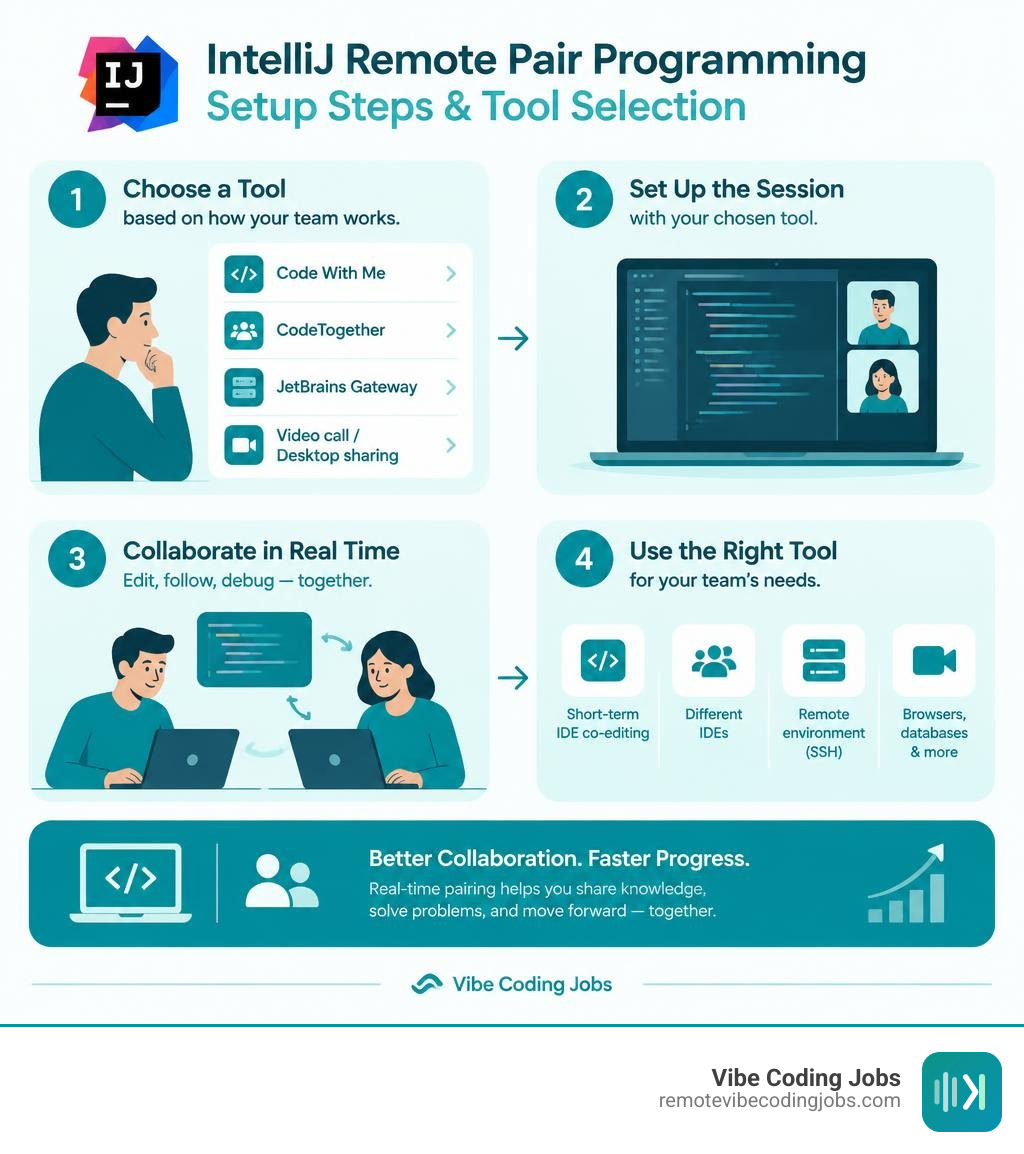
To set up IntelliJ pair programming remote sessions today, choose a tool based on how your team works:
- Use Code With Me for short-term IntelliJ-native co-editing, but plan to leave it behind. JetBrains will shut down its public relay service in Q1 2027.
- Use CodeTogether when partners use different IDEs, such as IntelliJ IDEA, VS Code, or Eclipse.
- Use JetBrains Gateway when each developer needs secure access to the same remote project environment over SSH. It is remote development, not a direct replacement for real-time multi-user pairing.
- Add a video call or desktop-sharing tool when the work involves browsers, databases, or other apps outside IntelliJ.
Real-time IDE collaboration lets a driver and navigator edit, follow code, inspect changes, and debug without the lag and confusion of ordinary screen sharing. For JVM teams, that matters: IntelliJ IDEA is widely used among JVM developers, so a reliable workflow can reduce handoffs and make remote mentoring, incident fixes, and code reviews much faster.
The key is to avoid building a workflow around Code With Me alone. It remains usable on supported versions through the transition, but IntelliJ IDEA 2026.1 is its final supported release. This guide shows how to configure a secure session now, compare the practical alternatives, and migrate without disrupting your team.
I’m Di Su, a software engineer with more than 10 years of experience building web products and improving developer workflows with tools such as Svelte and Python. I approach IntelliJ pair programming remote setup from both sides: the technical details that make collaboration work and the practical need for async-first teams to move quickly with less friction.
Key terms for intellij pair programming remote:
The Current State of IntelliJ Collaborative Coding and the Sunset Timeline
IntelliJ IDEA commands a commanding 62% market share among JVM developers. For years, real-time peer collaboration inside this ecosystem relied directly on JetBrains Code With Me. However, the collaborative landscape is undergoing a major structural shift.
JetBrains has formally unbundled Code With Me from the core IDE distribution. The 2026.1 release marks the final major IDE version that officially supports the plugin. For engineering teams reliant on public relay infrastructure, the hard deadline is Q1 2027, at which point JetBrains will permanently decommission the public relay servers.
This retirement requires engineering leads to re-evaluate their developer toolchain. As outlined in the official sunset roadmap for Code With Me, security updates will continue through the 2026 lifecycle, but active feature innovation has ceased. Modern distributed teams are shifting focus toward broader cloud environments, robust version-control handoffs, and async-first dev team communication to manage collaboration asynchronously rather than staying tethered to legacy session plugins.
Licensing, Session Limits, and Enterprise Constraints
If your organization is currently utilizing Code With Me during this transition window, understanding the tier limitations is essential:
- Community Plan: Free for all users, but strictly limited to 30-minute collaborative sessions with a maximum of 3 guest participants. When the timer expires, the host must manually restart the session and reissue invite links.
- Premium Plan: Removes session time limits and expands participant capacity up to 50 concurrent guests.
- Enterprise Plan: Supports on-premise relay servers and up to 100 simultaneous participants, ideal for company-wide mob programming or live architecture reviews.
JetBrains has discontinued all new license sales and renewals for Code With Me. Active subscriptions remain honored through the end of their existing billing cycles, but enterprise contract renewals will not be extended past the deprecation window.
Code With Me vs. JetBrains Gateway Remote Development
A common point of confusion is conflating Code With Me with JetBrains Gateway. They serve fundamentally distinct purposes in the JetBrains ecosystem:
- Code With Me is a peer-to-peer collaborative editor. The project lives on the host developer’s local machine, and guests connect directly to that running IDE instance to co-edit files, run joint debugging sessions, and share terminals.
- JetBrains Gateway is a remote development launcher. It connects a lightweight local client via the high-performance RD protocol over SSH tunnels (secured with TLS 1.3 encryption) to a headless IDE running on a dedicated cloud server or virtual machine.
As detailed in the official FAQ on JetBrains remote development, remote development via Gateway is architected for a single developer operating against a centralized cloud instance. It does not provide multi-cursor, multi-user pairing out of the box.
How to Configure Your IntelliJ Pair Programming Remote Environment
Setting up an efficient pairing environment requires choosing the right mechanism, securing permissions, and minimizing connection friction.

Whether you are debugging a complex test case or walking through an incident post-mortem, follow this proven pair programming workflow in IntelliJ to establish stable connectivity.
Configuring Code With Me for an IntelliJ Pair Programming Remote Workflow
For teams operating on IntelliJ IDEA 2026.1 or earlier, follow these steps for getting started with Code With Me:
- Install the Plugin: In IntelliJ IDEA, navigate to
Settings(orPreferenceson macOS) ->Plugins. Search for Code With Me on the JetBrains Marketplace, click install, and restart the IDE. - Initiate the Session: Locate the collaborative icon in the main IDE toolbar (top right) and select Start Session….
- Define Access Rights: Select the permission preset (Read-only, Edit files, or Full access) and toggle whether guests can access terminal instances.
- Distribute the Invitation Link: Copy the generated secure session URL and share it with your pairing partner via your team chat.
- Guest Connection: The guest opens the link in their browser. If they do not have a matching IntelliJ installation, the system downloads a lightweight JetBrains Client automatically.
- Approve the Handshake: The host receives an incoming request containing a visual security verification code. Confirm that the codes match on both screens and click Accept.
During active pairing, utilize Follow Mode to lock viewports together during architectural walkthroughs, or unfollow to split up and write tests independently in parallel files.
Managing Security Permissions in an IntelliJ Pair Programming Remote Session
Granting real-time access to your local machine carries inherent security responsibilities. When pairing, adhere to these operational security protocols:
- Restrict Terminal Access: Avoid granting unfiltered terminal execution privileges to guests unless strictly necessary. Commands executed in a shared terminal run under the host system’s user permissions.
- Safeguard Environment Variables: Ensure sensitive configuration files like
.env, local keystores, and AWS credentials are added to.gitignoreand hidden from project navigation trees. - Secure Credential Storage: When operating remote environments, review your project settings for managing remote backend project settings to ensure passwords and access tokens leverage KeePass or memory-only storage mechanisms rather than plain text.
- Pre-commit Version Control: Always commit or stash local changes in Git before hosting a live pairing session to prevent accidental overwrite or loss of work.
Top Alternatives to Code With Me for IntelliJ Developers in 2026
With Code With Me winding down and VS Code Live Share in maintenance mode without new features planned, engineering teams must evaluate modern alternatives.
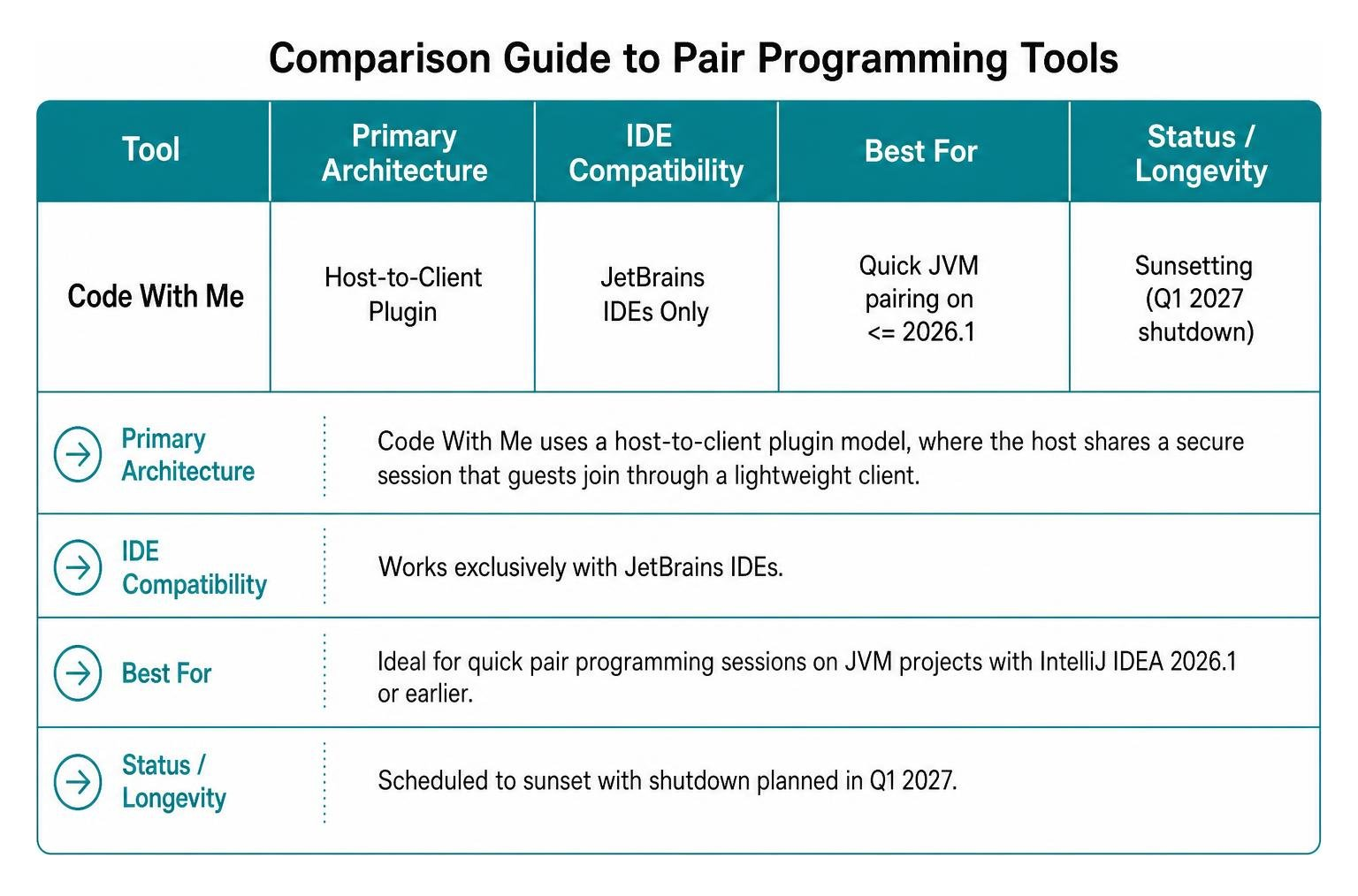
For a broader evaluation of how different editors stack up, consult this comparison guide to 2026 pair programming tools. Below is an overview of top solutions available for IntelliJ developers:
| Tool | Primary Architecture | IDE Compatibility | Best For | Status / Longevity |
|---|---|---|---|---|
| Code With Me | Host-to-Client Plugin | JetBrains IDEs Only | Quick JVM pairing on <= 2026.1 | Sunsetting (Q1 2027 shutdown) |
| CodeTogether | Cloud/On-Premise Relay | IntelliJ, VS Code, Eclipse, Browser | Mixed-IDE engineering teams | Actively maintained |
| InstantPear | P2P WebRTC + TURN | IntelliJ IDEA | Open-source, low-overhead pairing | Community-driven experimental |
| JetBrains Gateway | Headless Server Backend | JetBrains Thin Client | Cloud dev environments, heavy builds | Core JetBrains strategic focus |
| Zed | Built-in Multi-user CRDT | Zed Editor (macOS/Linux) | Lightweight native pair/mob coding | Rapid active development |
CodeTogether for Cross-IDE and Browser Collaboration
CodeTogether has emerged as the leading enterprise-grade alternative for multi-editor teams. It provides seamless cross-IDE interoperability across IntelliJ IDEA, VS Code, and Eclipse.
Key capabilities include:
- Browser-Based Joining: Navigators do not even need an IDE installed; they can join sessions, review code, and type edits directly through any modern web browser.
- IDE-Agnostic Pairing: A driver on IntelliJ can pair directly with a navigator using VS Code without either party abandoning their preferred keymaps or themes.
- Shared Terminals and Servers: Supports multi-terminal sharing and local port forwarding with granular read/write flags.
- Privacy Control: Offers on-premises deployment options (CodeTogether Live On-Premises) ensuring zero proprietary source code ever traverses public SaaS relays.
InstantPear and Open-Source WebRTC Plugins
For developers seeking lightweight, decentralized tools without third-party subscriptions, community projects like InstantPear provide an innovative experimental path.
InstantPear uses browser-standard WebRTC data channels for direct peer-to-peer communication. In network configurations where strict corporate firewalls block direct UDP hole punching, it supports seamless fallback via a self-hosted coturn TURN server. Features include:
- Ghost Cursors: Visual indicator overlays that show where your pairing partner is reading without interrupting your cursor focus.
- Native OS Overlay: Renders partner annotations and pointers directly above the IDE window using native OS graphics layers.
- Zero Cloud Telemetry: Code diffs stay strictly inside your local area network or encrypted P2P tunnel.
To configure InstantPear across local networks, ensure browser mDNS candidate obfuscation is properly configured, or provide dedicated STUN/TURN host credentials in the plugin configuration window.
JetBrains Gateway and Cloud Workstations for Shared Environments
While not an exact drop-in replacement for multi-cursor pair programming, JetBrains Gateway represents the long-term future of distributed engineering.
By connecting via JetBrains Gateway, teams can spin up standardized, high-performance cloud development environments on platforms like Google Cloud Workstations, Gitpod, Coder, or AWS CodeCatalyst.
Instead of hosting code on a developer’s fragile laptop:
- The entire JVM build chain, Docker containers, and IntelliJ backend run inside a centralized cloud VM.
- Developers connect using the ultra-fast JetBrains Client.
- Pairing is conducted asynchronously via rapid branch preview environments, shared cloud instances, or paired terminal sessions over SSH using tmux.
Strategic Migration Path and Future-Proofing Remote Collaboration
As engineering organizations prepare for the 2027 shutdown of JetBrains relay services, adopting a structured transition plan prevents friction.

Recommended Migration Timeline
- Phase 1 (Immediate): Audit your current developer toolchain. Identify which teams rely on Code With Me for live pairing, mentoring, or technical hiring interviews.
- Phase 2 (Late 2026): Pilot cross-IDE alternatives like CodeTogether for teams requiring live co-editing, while establishing standardized cloud workspaces via JetBrains Gateway for heavy JVM workloads.
- Phase 3 (Q1 2027): Deprecate all legacy session shortcuts and transition permanent pairing workflows to verified cross-IDE or cloud environments.
Beyond tooling changes, high-performing distributed teams are changing how they write software. Pairing is no longer just two developers staring at a syntax error; it is about leveraging AI-assisted development tools to rapidly prototype solutions, automate boilerplate, and accelerate code reviews.
By integrating automated generative workflows and adopting vibe coding practices, engineers can spend less time synchronously debugging typos and more time collaborating on architectural design, edge cases, and high-impact systems logic.
Frequently Asked Questions about IntelliJ Remote Collaboration
Can you pair program remotely using JetBrains Gateway instead of Code With Me?
JetBrains Gateway is designed for single-user remote development, connecting one client to a headless remote backend. It does not provide multi-user real-time collaborative editing natively. However, teams can pair program on a Gateway server by sharing the remote session through tools like CodeTogether installed on the remote IDE backend, or by sharing a command-line terminal session on the host machine using tmux.
What happens to existing Code With Me licenses after the 2026.1 release?
Existing active subscriptions remain valid until their current terms expire. JetBrains will continue providing security patches and maintenance for the unbundled plugin on supported IDE releases through 2026. In Q1 2027, the public relay infrastructure will be permanently shut down, making cloud-relayed sessions inoperable without an on-premise relay setup.
What are the best cross-IDE pairing tools if teammates use VS Code or Zed?
For teams mixing IntelliJ IDEA and VS Code, CodeTogether is the most seamless choice because it supports two-way editing, terminal sharing, and browser joining across multiple IDE platforms. If your team is exploring standalone next-generation editors, Zed provides built-in multi-user CRDT collaboration, screen sharing, and voice channels out of the box, though it lacks the deep JVM-specific refactoring ecosystem found in IntelliJ.
Conclusion
Remote software engineering is evolving from synchronous screen sharing to integrated, intelligent collaboration. While the deprecation of JetBrains Code With Me marks the end of an era for native peer plugins, it opens the door to more flexible cross-IDE tools, secure cloud workstations, and automated workflows.
At RemoteVibeCodingJobs, we help developers discover top remote opportunities at forward-thinking, async-first companies that value modern toolchains. Whether you are standardizing your JVM development pipeline or mastering the best AI tools for coding, building an adaptable collaborative workflow ensures your team stays fast, resilient, and ready for the future.