
How to Run an Async Video Meeting Without Another Calendar Invite
An async video meeting lets teammates share recorded updates and respond at different times instead of joining a live call. To run one well, record a focused one-to-three-minute clip, give viewers the context they need, and end with a clear question or action and a response deadline. Keep replies in one thread so the outcome is easy to find.
For a distributed team, that can mean fewer interruptions to deep work and no call at an awkward hour. Use it for status updates and walkthroughs; switch to a live conversation when a decision is urgent or needs real-time debate.
I’m Dominic Zijlstra. My work in communication systems, data infrastructure, and automation shapes how I think about an async video meeting: make the message clear, the record useful, and the next step obvious.
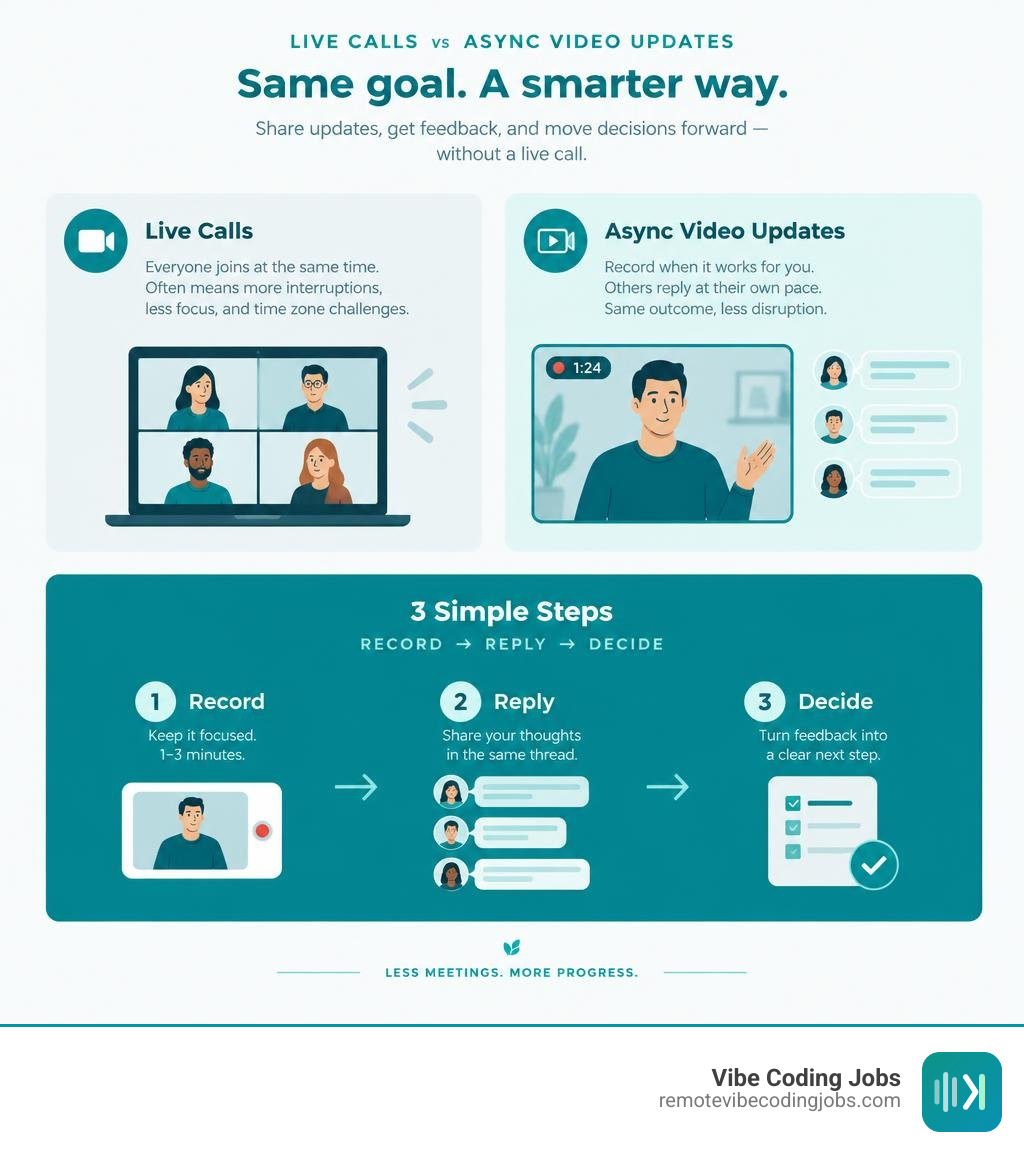
Key terms for async video meeting:
The average knowledge worker sits through 15 to 20 meetings per week, and studies show that professionals lose over 31 hours each month to unproductive discussions. In fact, research indicates that meetings are ineffective roughly 72% of the time, with 80% of workers admitting they would be far more productive with fewer scheduled calls on their calendars. As distributed teams build workflows around deep focus, replacing real-time status updates with structured visual recordings has become a critical operational advantage.
Understanding the Async Video Meeting: Mechanics and Core Differences
At its core, an asynchronous meeting shifts communication across time. Instead of requiring four or five participants to gather simultaneously on a live video stream, a single owner records a concise walkthrough of an update, problem, or strategic plan. Teammates then watch, parse, and respond via threaded video, audio, or written comments when it aligns with their schedule.
As detailed in the TrueConf guide on async video meetings, asynchronous meetings provide the critical nonverbal cues of video without demanding simultaneous calendar availability. In our async-first remote work guide, we emphasize that shifting from synchronous presence to asynchronous artifacts is the single greatest lever for protecting developer flow state.
| Feature | Synchronous Live Calls | Asynchronous Video Meetings |
|---|---|---|
| Time Commitment | Fixed 30–60 minute blocks | 1–3 minute targeted recordings |
| Scheduling Overhead | High (time-zone coordination) | Zero (watch and respond on demand) |
| Documentation | Fleeting unless manually scribed | Automatically transcribed and indexed |
| Cognitive Load | High social performance pressure | Low; review and process at peak focus |
| Feedback Mechanism | Interrupted live conversation | Structured, threaded comments |
Video Clips vs. Live Calls vs. Recorded Webinars
Understanding where asynchronous clips fit within your communication stack prevents message sprawl:
- Live Calls: Best reserved for bidirectional, high-stakes alignment, crisis response, or complex emotional conversations where immediate back-and-forth negotiation is required.
- Recorded Webinars: Broad, one-to-many broadcasts that are passive in nature, rarely structured for iterative feedback or decision-making loops.
- Async Video Clips: Focused, interactive assets created with tools like Minutes – Asynchronous meetings for remote work or Flowy.llink — Send 30-second video messages, skip the meeting. They invite threaded commentary, track resolution, and eliminate the conversational drift typical of open-ended meetings.
The Psychology of Visual Communication Without Live Pressure
Text-only communication often strips away tone, leading to misunderstandings, especially across diverse cultural backgrounds. Because roughly 93% of communication effectiveness relies on nonverbal social cues, visual recordings deliver facial expressions, vocal inflection, and screen context without the performative exhaustion of live calls.
Removing real-time response pressure gives introverted or non-native speaking teammates the space to formulate thorough, well-reasoned feedback. Furthermore, seeing and hearing colleagues regularly provides genuine connection, playing an important role alongside our proven remote work loneliness solutions by maintaining human empathy across distributed teams.
Core Benefits of Adopting an Async Video Meeting Workflow
When teams eliminate default recurring status calls, individual output surges. According to Slack research on asynchronous video collaboration, asynchronous visual updates give workers back uninterrupted hours for problem-solving while preserving vital team context.
Pairing targeted recordings with proven remote developer productivity tips & tools enables engineers and designers to build sustained momentum throughout their day.
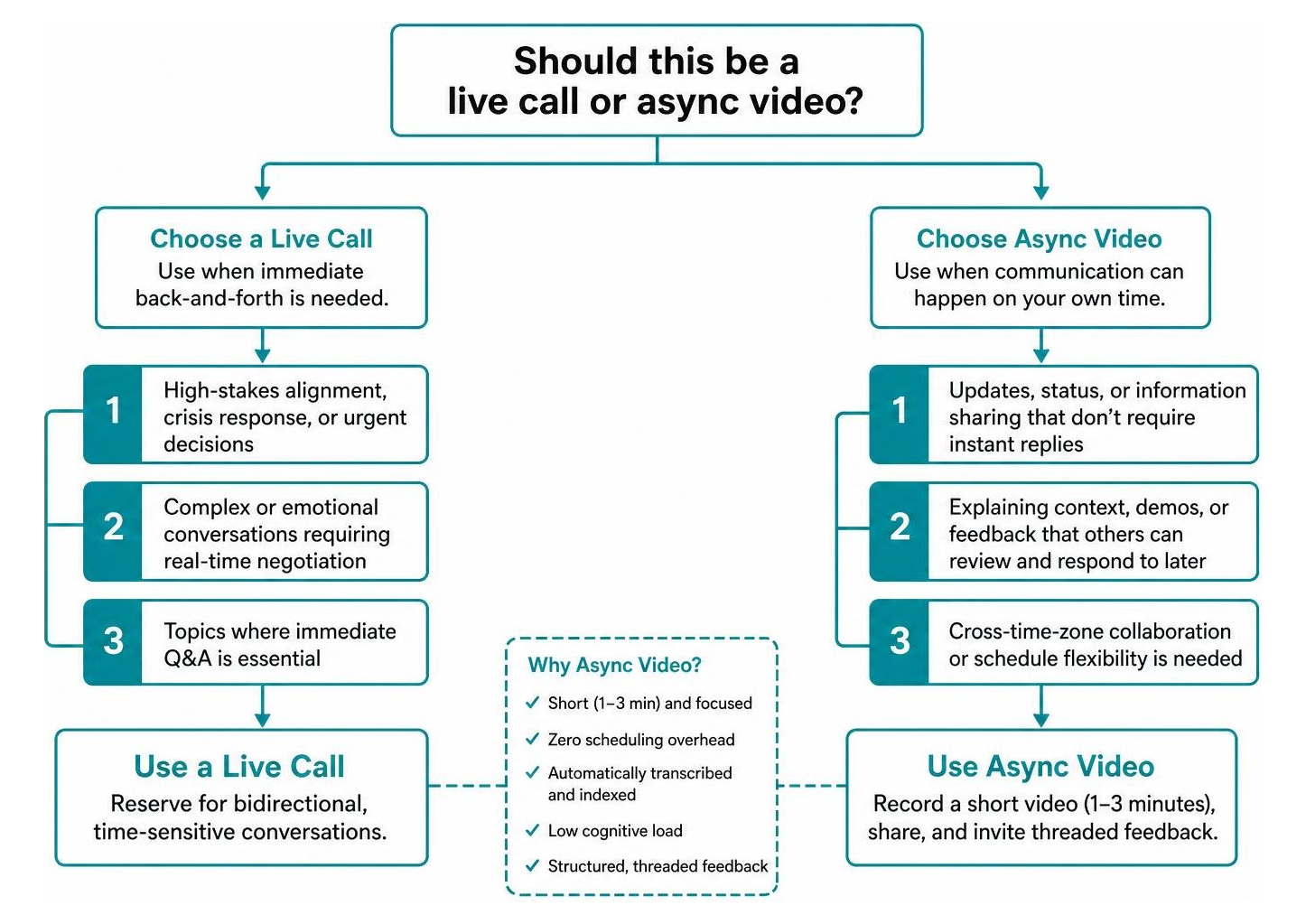
Eliminating Calendar Tetris Across Time Zones
With 83% of employees wanting flexible remote arrangements and 22% citing schedule autonomy as the primary benefit of distributed work, forcing cross-border teams into narrow overlapping meeting windows damages retention. When an engineer in Singapore ends their shift, an asynchronous video allows a colleague in San Francisco to pick up context seamlessly without either party waking up at 5:00 AM. Platforms like JumpAsync – Meetings without being online at the same time ensure distributed contributors remain entirely unblocked.
Preserving Knowledge and Building a Searchable Asset Library
Live meetings produce fleeting conclusions that often vanish once the call ends. In contrast, an asynchronous video creates a persistent digital record. Modern video architectures automatically generate transcripts, summaries, and action items, turning daily updates into a searchable corporate knowledge base.
Best Practices for Recording and Structuring Asynchronous Video
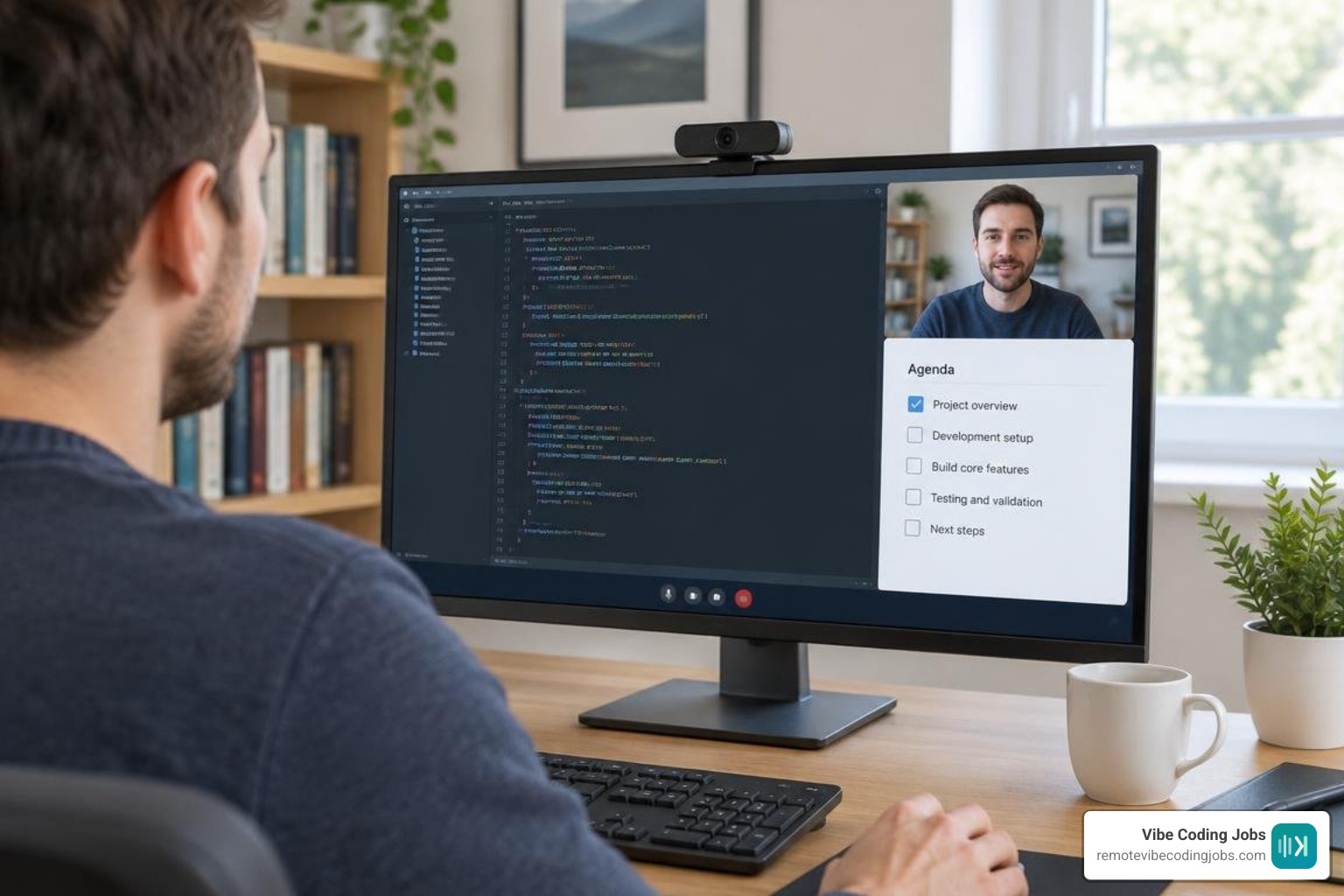
Creating effective async updates requires deliberate discipline. Rambling 20-minute screen recordings recreate the exact inefficiency of live calls. Adhering to structured asynchronous communication best practices ensures your recordings save time rather than consume it.
Structuring High-Impact 1-to-3 Minute Clips
Data demonstrates that the most effective video updates run between one and three minutes. To maintain high engagement:
- State the Core Objective First: Begin with the headline decision or problem within the first 15 seconds.
- Adhere to the Single-Topic Rule: Never combine an infrastructure update, a budget review, and a design critique into a single recording.
- Show, Don’t Just Tell: Keep your camera thumbnail small while highlighting the exact code diff, Figma canvas, or project dashboard on screen.
- Define Explicit Deadlines: Close by stating who needs to respond, what format their input should take, and the specific timestamp by which feedback is required.
Tooling, AI Transcription, and Workflow Integrations
Modern teams leverage specialized tools designed to streamline async interactions. Platforms such as VideoAsk (by Typeform) enable structured, self-paced video response funnels, while solutions like OwnMeet and Meet-AI provide automated multi-language transcription, intelligent decision tagging, and instant task exports to project boards.
As highlighted in the Dropbox analysis of async work trends, uniting asynchronous video with automated documentation prevents context fragmentation. For engineering teams, pairing async video reviews with AI-powered remote pair programming tools creates an integrated workflow that accelerates delivery without synchronous bottlenecks.
Balancing Live and Recorded Collaboration Across Teams
Asynchronous workflows do not mean eliminating all real-time connection. High-performing organizations run a deliberate hybrid communication matrix, balancing async assets with intentional live touchpoints.
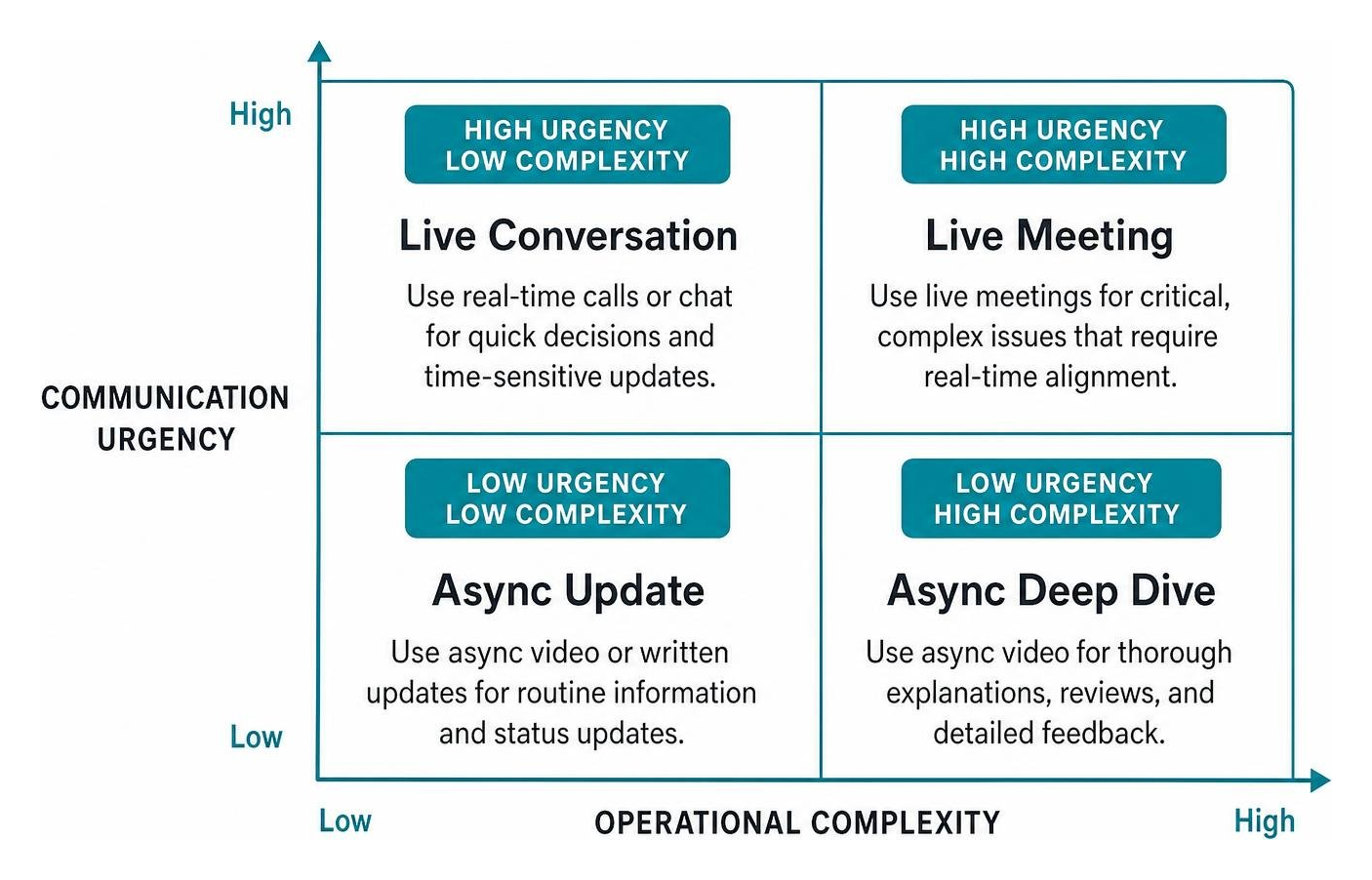
Integrating this framework into an async-first remote developer workflow ensures that every live conversation has a clear, irreplaceable purpose.
Designing an Async Video Meeting for Standups and Status Updates
Daily standups frequently devolve into passive recitations. Replacing them with 60-to-90-second video updates posted to dedicated channels allows team members to review blockers on their own schedule. Colleagues can react directly with solutions, code snippets, or approving emoji badges, keeping standup noise completely out of active focus blocks.
Structuring an Async Video Meeting for Onboarding and Training
Rather than having senior engineers repeatedly run identical setup walkthroughs, recording modular async demos builds a permanent training library. New hires consume technical architectures and workflow guides at their own pace, pausing and rewinding complex sections without fear of holding back a live room. This systematic approach is standard across top async-first remote developer roles and companies.
Asynchronous Video in Sales Outreach and Client Success
Beyond internal collaboration, sales and client management teams use async video to stand out in crowded inboxes. A 90-second customized product walkthrough highlighting a prospect’s specific challenges drives significantly higher response rates than generic slide decks. After the initial pitch, onboarding and success managers can answer client technical queries with quick visual clips, delivering fast white-glove service without coordinating calendars.
Frequently Asked Questions About Async Video Meetings
Can asynchronous video completely replace real-time team meetings?
No. Asynchronous video is optimized for status reports, code walkthroughs, design feedback, and standard training. Live synchronous calls remain essential for sensitive interpersonal reviews, high-stress incident resolution, and collaborative strategic brainstorming.
What security and access controls are essential for recorded video?
Enterprise async video deployments should include single sign-on (SSO), end-to-end data encryption at rest and in transit, configurable link-expiry windows, role-based folder permissions, and SOC 2 Type II compliance to safeguard proprietary code and business intelligence.
How do you prevent team members from ignoring async video updates?
Establish strict communication protocols: keep every recording under three minutes, accompany every video with a bulleted text summary, tag required respondents directly, and clearly state a reasonable decision deadline (e.g., “Feedback needed by Wednesday at 3:00 PM UTC”).
Conclusion
Transitioning to asynchronous video meetings replaces calendar fatigue with focused, autonomous work. When teams exchange targeted visual recordings instead of sitting through endless live calls, they protect deep focus, bridge global time zones, and create an enduring library of company knowledge.
At RemoteVibeCodingJobs, we connect developers and technical professionals with forward-thinking teams that champion async-first culture and modern AI-assisted engineering practices. To equip your team with the right platforms and frameworks, explore our curated breakdown of the best async communication tools for developer teams in 2026 and start reclaiming your working hours today.
— Dominic Zijlstra