
Access Your Cursor Student Login and Start Coding
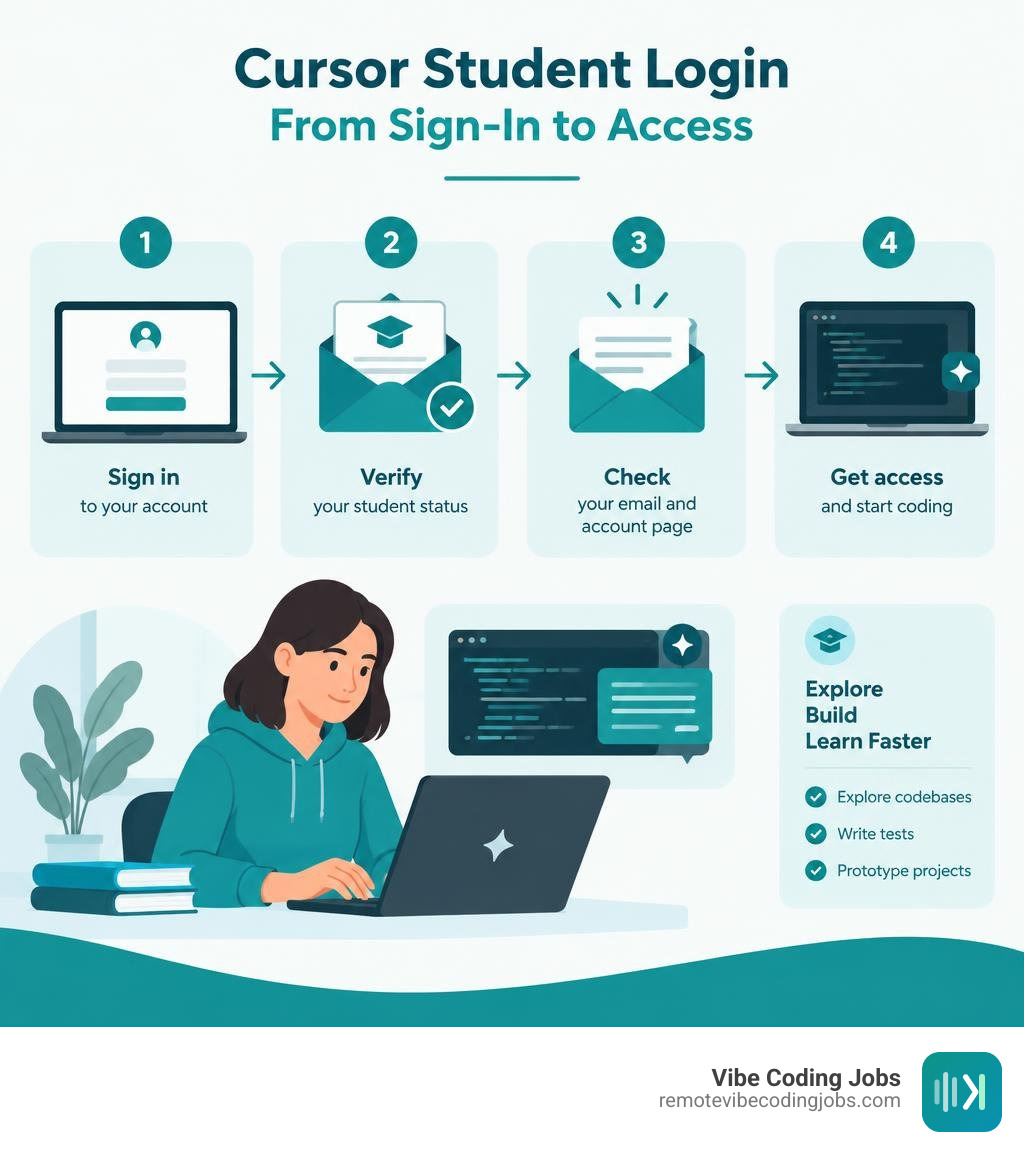
To access the Cursor student login, go to Cursor’s student page, create or sign in to your Cursor account, then complete any requested student-status verification. Use your active university email where available, open verification emails promptly, and check your account page after approval to confirm whether a student offer applies.
If you get sent back to the login screen, try signing in through a private browser window, clear Cursor site cookies, and make sure you are using the same email address used during verification. Student verification can depend on your school and region, so approval through a verification service does not always guarantee access to every promotion.
Cursor is an AI-powered code editor that can help students explore unfamiliar codebases, write tests, prototype projects, and learn faster. Still, treat its output as a starting point: review the code, run it, and understand it before submitting academic work or adding it to a portfolio.
I am Dominic Zijlstra, a technologist, entrepreneur, former data scientist, and DevOps engineer who builds systems that make technical work and learning more efficient. In this guide, I will help you navigate the Cursor student login process with the same practical, security-aware mindset used for modern developer tools.
Quick cursor student login definitions:
Step-by-Step Guide to Cursor Student Login and Setup
Getting started with Cursor as a student requires setting up your account, validating your educational status, and configuring your local development environment. Because Cursor is built as a fork of VS Code, the onboarding experience is intuitive, but ensuring your academic credentials link properly is essential for securing promotional perks.
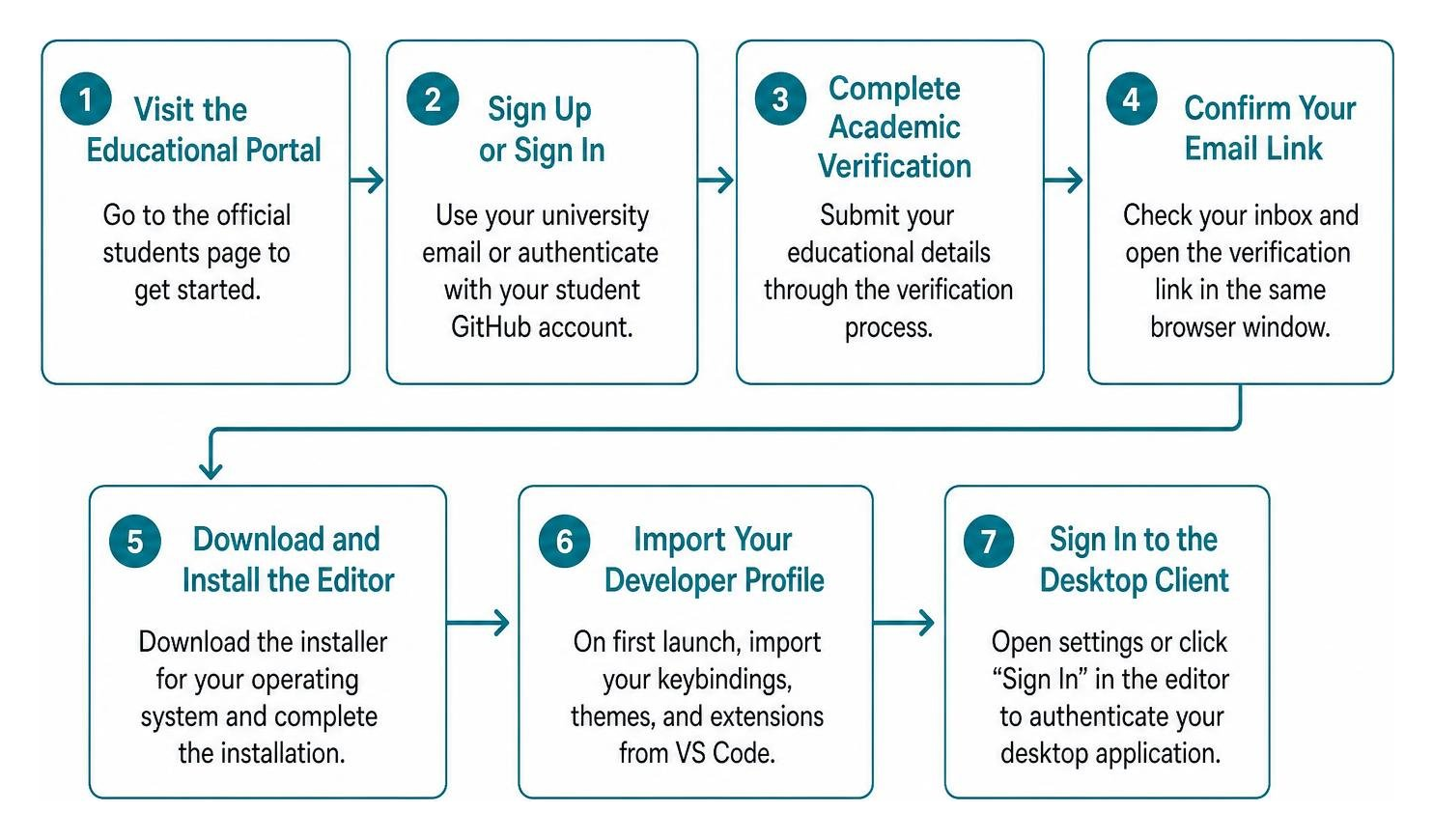
Follow these steps to complete the setup process:
- Visit the Educational Portal: Navigate directly to the official Cursor · Students hub.
- Initiate Sign-Up or Sign-In: Click on the sign-up button. When prompted, register using your official university email (e.g., your
.edu,.ac.uk, or verified institutional domain) or authenticate using your student GitHub account linked to the GitHub Student Developer Pack. - Complete Academic Verification: When prompted, submit your educational details. Depending on your region, verification may route through academic identity providers such as SheerID.
- Confirm Your Email Link: Check your inbox for a magic link or verification email. Open it in the same browser window where you initiated the request to avoid cross-session token dropouts.
- Download and Install the Editor: Grab the installer for your operating system (macOS, Windows, or Linux) directly from the dashboard.
- Import Your Developer Profile: Upon your first launch, Cursor allows you to import your keybindings, themes, and extensions from your existing VS Code installation with a single click.
- Sign In to the Desktop Client: Open the settings gear or click “Sign In” in the bottom-left corner of the editor to authenticate your desktop application with your verified student profile.
Required Verification Credentials
To make sure your account review goes through smoothly without manual delays, keep the following items ready:
- Active university email address assigned by your institution
- Student identification card showing the current academic term
- Official enrollment verification letter or recent tuition receipt
- Active GitHub account associated with student benefits
Cursor Student Plan Benefits and AI Features
Cursor integrates frontier large language models directly into your editor, transforming how you navigate complex homework assignments, personal projects, and team hackathons. Instead of treating AI as a side panel that only answers disconnected questions, the platform acts as an intelligent pair programmer embedded inside your file tree and terminal.

Key Features Powering Student Developers
- Deep Codebase Indexing: Cursor reads and embeds your entire repository locally. You can reference specific files, classes, or external documentation using
@symbols in the chat, allowing the model to answer project-specific questions with exact context. - Multi-File Editing (Composer): Make sweeping architectural updates across multiple files simultaneously. You can describe a refactoring task, and the agent generates diffs across your frontend, backend, and configuration files at once.
- Natural Language Terminal Execution: Generate and run terminal commands directly from prompt prompts, saving time when debugging build errors or running test suites.
- Custom Rules (
.cursorrules): Define custom constraints in a root configuration file to instruct the AI on preferred code style, library versions, or testing frameworks for your coursework.
Comparing Free vs Student Pro Features
| Feature | Free Hobby Plan | Student / Pro Tier |
|---|---|---|
| Code Completion | Standard suggestions | Fast, speculative multi-line completions |
| Model Access | Basic model quotas | Frontier models (Claude 3.5 Sonnet, GPT-4o) |
| Codebase Indexing | Limited index size | Full repository context & documentation indexing |
| Composer / Multi-File | Restricted daily queries | High-capacity multi-file generation & agent diffs |
| Terminal Integration | Basic prompt assistance | Integrated terminal execution with error auto-fix |
Troubleshooting Common Student Authentication Issues
Academic authentication can run into snags due to strict institutional email filters, single sign-on (SSO) redirects, or third-party verification limitations. Understanding how to handle these errors will save you from getting locked out before an assignment deadline.
Resolving Cursor Student Login Loops and Redirect Errors
A frequent problem reported by learners involves getting trapped in an authentication loop where clicking “Log In” continually refreshes the browser back to the initial sign-in screen without launching the desktop token exchange.
This issue is documented in the Can’t log in – Student discount report, where browser cookie mismatches or regional eligibility blocks interrupt the authentication callback.
To resolve redirect loops:
- Use Incognito Mode: Launch an incognito window to eliminate conflicts caused by stale session tokens or conflicting Google accounts.
- Clear Browser Storage: Clear cookies and local storage specifically for
cursor.comand your identity provider. - Check Hardware Time Sync: Ensure your computer clock is synchronized with network time, as discrepancies can invalidate security tokens.
- Default Browser Assignment: Temporarily switch your default operating system browser to Chrome or Firefox before clicking the desktop app’s login link.
Fixing Domain Verification on Cursor Student Login
If your educational institution uses non-standard email domains or subdomains (such as mail.university.edu or regional variants), automated systems may fail to recognize your student status automatically.
As discussed in the community thread on Logging in with new student e-mail troubleshooting, newly created accounts or unconventional university domains can occasionally trigger fraud filters or fail automated checks.
To fix domain rejection:
- Verify Direct Domain Routing: Confirm whether your institution provides a standardized alias (e.g.,
user@school.eduversususer@dept.school.edu). - Submit Secondary Documentation: If automated validation fails, supply a clear snapshot of your dated student ID card or an official registrar transcript.
- Contact Support: Reach out to Cursor support with your account identifier and enrollment documentation if your institution is missing from the approved registry.
Best Practices for Academic AI-Assisted Coding
Working with AI tools during your degree requires a balanced approach. The goal is to accelerate your learning curve without outsourcing the critical thinking needed to pass technical interviews and write robust software.
- Maintain a Human-in-the-Loop Workflow: Never copy-paste generated code blindly. Read through diffs line-by-line, understand memory allocations, and verify edge cases before committing changes.
- Enable Privacy Settings: Ensure your account privacy settings prevent proprietary coursework or team research code from being used for public model training.
- Craft Specific
.cursorrulesFiles: Set up a.cursorrulesfile in your repository root that forces the AI to explain its reasoning or prompt you with architectural hints rather than giving away entire solutions directly. - Use AI for Testing and Refactoring: Accelerate your workflow by using Cursor to write comprehensive unit tests, benchmark performance, and explain complex compiler errors.
Frequently Asked Questions About Student Accounts
Does Cursor offer free Pro access for all university students?
Cursor provides a generous free tier for everyone to start building immediately. While full Pro discounts and extended promotional access are regularly distributed during university hackathons, campus events, and seasonal educational initiatives, automatic global verification depends on institutional and regional partner agreements.
What should I do if my educational email domain is rejected?
If your educational domain is not recognized automatically during the verification step, verify whether your primary institutional email alias is formatted correctly. You can also contact support with supplementary proof of enrollment, such as an active tuition invoice or student identity card.
Can I transfer my student plan to a personal account after graduation?
Yes. You can update your primary billing email or connect your personal GitHub profile to retain your settings, extensions, and custom configurations after you complete your studies and transition to professional engineering roles.
Conclusion
Mastering AI-native development environments like Cursor while in school gives you a distinct advantage as you enter the software industry. Teams across the globe are adopting “vibe coding” paradigms where developers act as system architects guiding AI models to build, test, and deploy applications rapidly.
If you are graduating or seeking industry experience, you can master these cutting-edge workflows and explore remote AI engineer jobs to launch your career at innovative, async-first companies.