Start VSCode Pair Programming Without the Remote Setup Drag
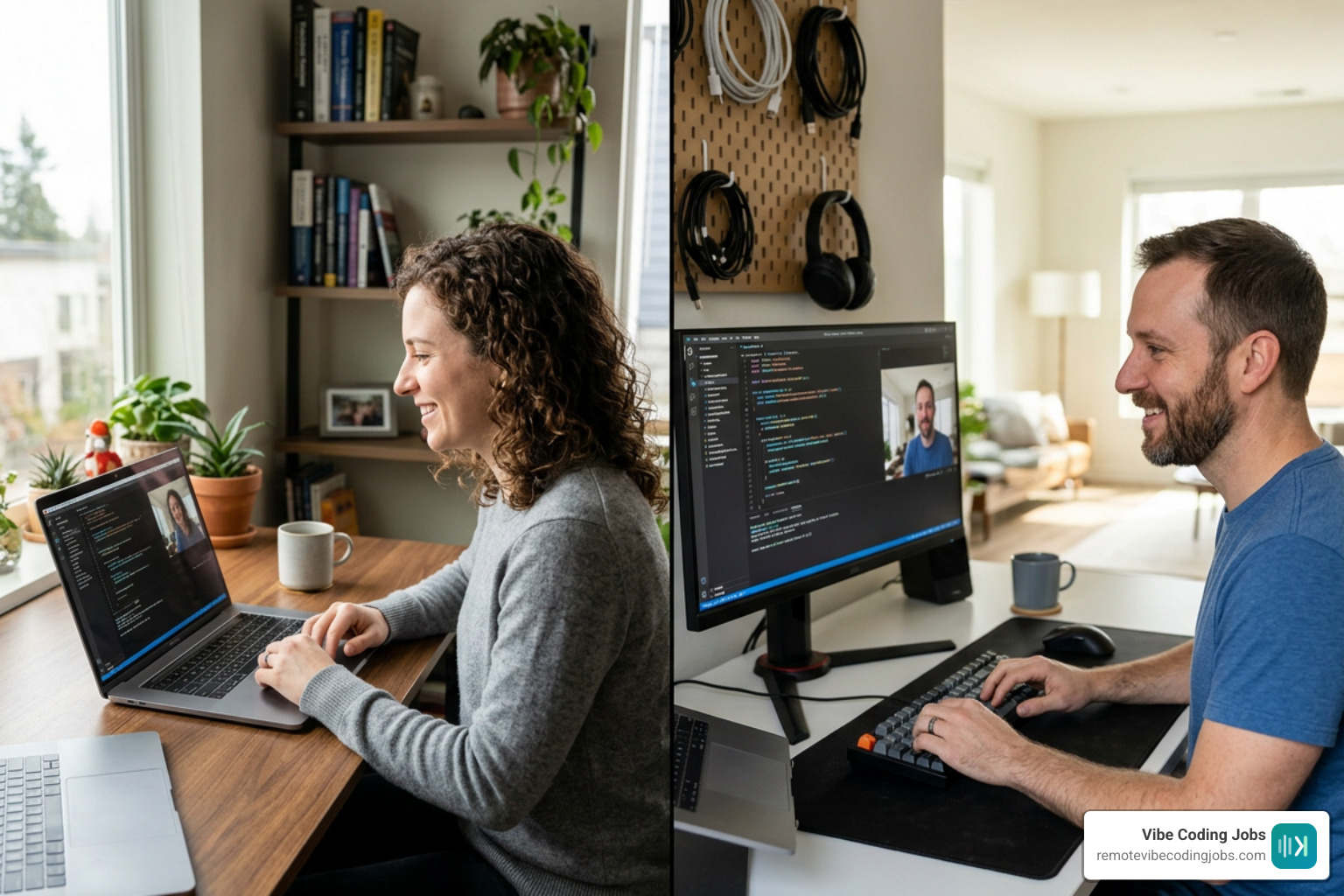
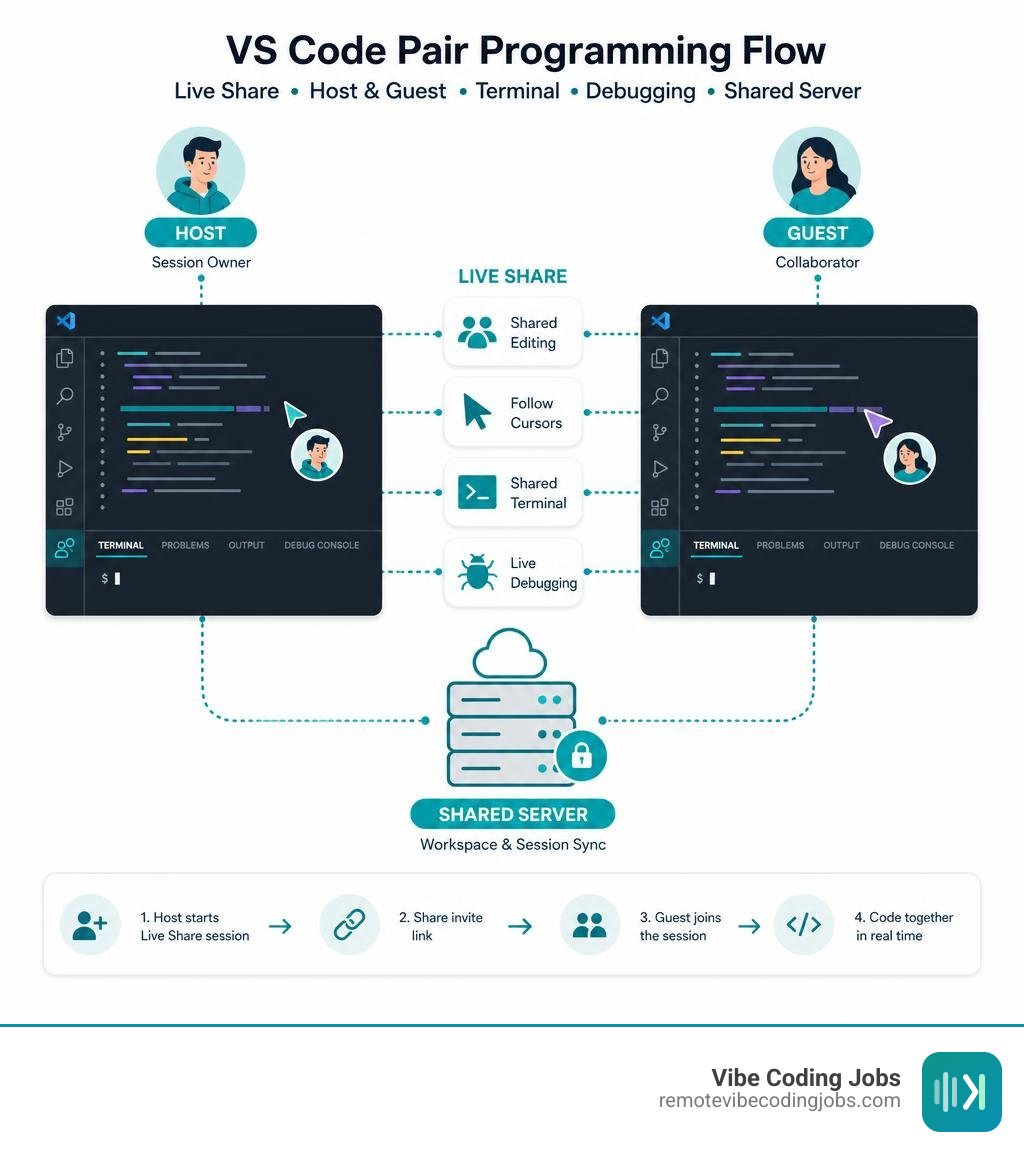
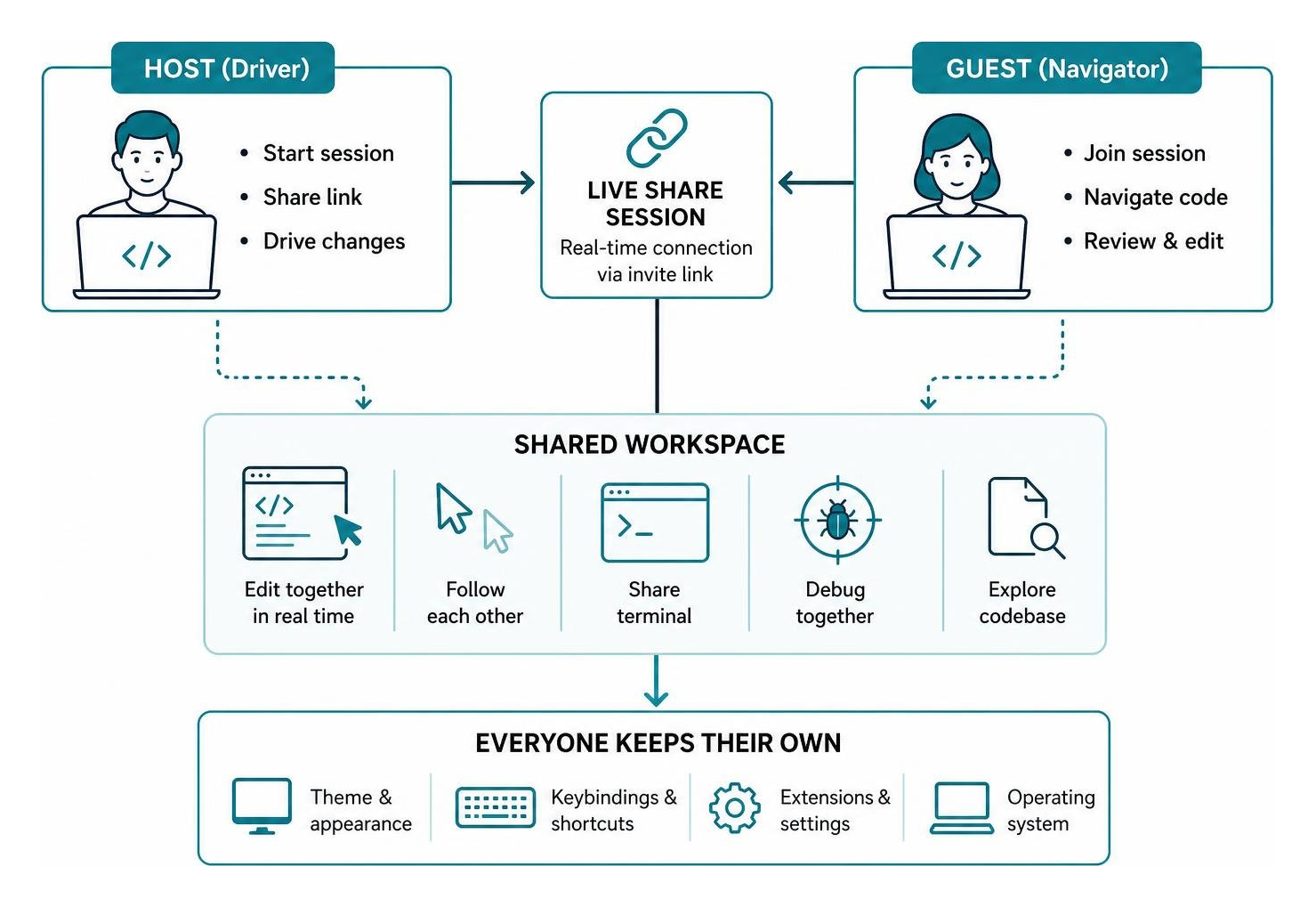
For effective vscode pair programming, install the Visual Studio Live Share extension, have one developer start a collaboration session, and send the invite link to the other. Both people can then edit the same workspace in real time, follow each other’s cursor, share a terminal, and debug together – without the guest cloning the repository or recreating the host’s local environment.
This makes remote pairing far more useful than a screen share. One person can drive the code while the other acts as navigator: reviewing each change, checking assumptions, searching the codebase, and catching bugs before they reach a pull request. Switch roles regularly so both developers stay engaged and share context.
Live Share also lets each participant keep their own theme, keybindings, and operating system. That removes much of the friction that can make remote sessions slow, especially when you are onboarding to an unfamiliar project, fixing a tough test failure, or working across time zones.
I’m Di Su, a software engineer with more than 10 years of experience building web products and improving developer workflows with tools such as Svelte and Python. In this guide, I’ll show how to make vscode pair programming practical for distributed teams, including shared testing, debugging, cloud environments, and AI-assisted workflows.
Why Modern Remote Teams Rely on Real-Time Collaborative Coding
Pair programming has long served as a cornerstone of agile engineering. In a traditional office, two developers sat shoulder-to-shoulder sharing a single monitor and keyboard. One engineer acted as the “driver,” writing code and handling syntax, while the “navigator” maintained high-level architectural oversight, spotted typos, and verified edge cases.
Translating that dynamic to distributed engineering teams used to create immense friction. Traditional screen sharing turns the navigator into a passive observer looking at a low-frame-rate video stream. The guest cannot click on symbols, jump to variable definitions, or inspect separate files without disrupting the driver’s screen.
Modern real-time collaborative coding solves these bottlenecks by synchronizing the abstract syntax tree and editor states instead of transmitting raw video pixels.
- Accelerated Knowledge Transfer: Pairing junior engineers with experienced domain experts bridges technical context gaps significantly faster than asynchronous pull request comments.
- Drastically Improved Code Quality: Having a second pair of eyes catch logic flaws and boundary errors in real time slashes the turnaround time spent in continuous integration pipelines.
- Friction-Free Onboarding: New hires can contribute meaningful code on their very first day without spending multiple days debugging complex local environment scripts, Docker daemons, or database seeds.
- Effortless Bug Triage: Teammates distributed across different continents can jump directly into a live environment to isolate intermittent production anomalies together.
For modern distributed organizations navigating modern tech stacks, pairing real-time collaboration with the right Remote Work Tools for Developers Compared 2026 Guide makes remote teamwork feel as immediate as co-located development.
How to Set Up VSCode Pair Programming with Live Share
The primary engine powering pair coding in the VS Code ecosystem is the official Live Share – Visual Studio Marketplace extension. Boasting over 23.9 million marketplace installs and a strong 4.5-star rating, it remains the gold standard for integrated real-time development.
Live Share works across Windows, macOS, and 64-bit Linux distributions. It connects guests directly to the host’s development workspace over secure, encrypted communication channels using Microsoft or GitHub authentication.
Step-by-Step VSCode Pair Programming Session Setup
Getting started with a real-time pairing session takes only a few simple steps:
- Install the Extension: Open the Extensions viewlet in VS Code (
Ctrl+Shift+XorCmd+Shift+X), search for “Live Share”, and click Install. - Authenticate: Click the Live Share icon in the Status Bar or Activity Bar. Sign in using your GitHub or Microsoft account credentials.
- Start a Collaboration Session: Click Share (or run
Live Share: Start Collaboration Sessionfrom the Command Palette). Your workspace context is initialized, and an invite link is automatically copied to your system clipboard. - Send the Invitation: Share the generated URL with your pairing partner over your team’s communication channel.
- Join as a Guest: The guest clicks the shared URL or runs
Live Share: Join Collaboration Sessionfrom their own VS Code instance, pasting the invitation link.
Once connected, both engineers experience bidirectional editing. Unlike passive screen shares, guests navigate with their own independent cursor, custom syntax theme, font choices, and keybinding profiles (such as Vim or Emacs modes).
When you want to guide your collaborator through a complex flow, Live Share provides Focus and Follow tools. Clicking a peer’s avatar in the Live Share panel anchors your viewport to their cursor movements. Alternatively, the host can trigger Live Share: Focus Participants to instantly snap all connected guests to a specific file and line number.
Shared Terminals, Collaborative Debugging, and Unit Testing
Pair programming involves more than just typing code into an editor buffer; it requires executing tests, inspecting terminal logs, and stepping through runtime breakpoints.

Collaborative Terminal Sharing
Live Share enables hosts to share their integrated terminal console with guests. Hosts can explicitly set terminal permissions:
- Read-Only: Guests can observe test outputs, build scripts, and server logs without execution privileges.
- Read-Write: Guests can execute shell commands, run test runners, and manage scripts directly inside the host’s operating environment.
To share a terminal, navigate to the Terminal tab, click the Share Terminal icon at the top of the panel, and select your desired permission level.
Shared Debugging and Port Forwarding
During a collaborative debugging session, both the driver and navigator gain access to the runtime environment:
- Shared Breakpoints: Either engineer can insert breakpoints directly into the gutter.
- Independent State Inspection: When execution pauses, both developers can independently inspect local variables, evaluate expressions in the Debug Console, and view call stacks.
- Shared Local Servers: Hosts can share local web application ports (such as
localhost:3000orlocalhost:8080). Live Share forwards the port securely over the collaboration channel, allowing guests to view and interact with the live running application in their local web browser without opening ports to the public internet.
This setup makes collaborative unit testing straightforward. For example, you can write Mocha or Jest test assertions together in real time, trigger npm test inside the shared terminal, inspect failures collectively, and resolve bugs in a single unified session.
Cloud and Open-Source Alternatives for VS Code Collaboration
While Microsoft Live Share is the most common tool for pair programming, modern engineering teams also leverage cloud sandboxes and community-driven alternatives.
By standardizing remote development environments via GitHub Codespaces, teams define their runtime tools, language compilers, and extensions inside a version-controlled devcontainer.json configuration file. When pair programming inside a Codespace, every participant accesses an identical cloud container, eliminating local environment discrepancies. Combining structured pair coding sessions with the Best Async Communication Tools for Dev Teams in 2026 ensures teams stay aligned across projects.
However, Microsoft Live Share has certain constraints:
- It enforces a default limit of 5 concurrent users per collaboration session.
- It requires host authentication through Microsoft or GitHub accounts.
- It requires all participants to use the VS Code or Visual Studio IDE ecosystem.
Peer-to-Peer and Self-Hosted Pair Coding Tools
For teams seeking account-free workflows or self-hosted infrastructure, several open-source alternatives exist:
- P2P Live Share: An open-source extension hosted on GitHub at julio641742/p2p-live-share that enables decentralized pair programming. It utilizes WebRTC via Trystero and WebSocket signaling servers to establish direct peer-to-peer connections. It works across desktop VS Code, Cursor, and browser environments (vscode.dev) without requiring user logins.
- vscode-live: A multi-user browser-based collaboration project found at coderpair/vscode-live. Built as a customized fork of code-server backed by Firebase real-time synchronization, it allows team members to access a shared editor through any web browser without explicit invitation links.
AI-Assisted vs Human VSCode Pair Programming Workflows
In modern development, pair programming is not limited to human-to-human collaboration. Autonomous AI coding assistants act as an always-available navigator that suggests architectural boilerplate, generates test suites, and flags potential edge cases.
Engineers regularly pair with tools like GitHub Copilot, run terminal agents such as Aider using custom API keys, or use AI-first IDEs. Comparing options like Cursor vs Copilot vs Claude shows how AI changes pair programming dynamics.
Integrating modern Vibe Coding Tools allows developers to alternate between human pairing sessions for high-level system design and AI-assisted pair workflows for rapid code implementation.
| Collaboration Method | Core Mechanism | Setup Friction | Terminal & Debug Sharing | Best Use Case |
|---|---|---|---|---|
| VS Code Live Share | Real-time AST & state sync | Zero-clone for guests | Full read/write terminal & shared debug | Deep human pair programming & code reviews |
| Screen Sharing (Zoom/Meet) | Raw video stream broadcast | Low initial setup | View-only; single-driver control | Quick visual walkthroughs & demos |
| P2P Live Share (WebRTC) | Decentralized peer-to-peer | Account-free setup | Basic terminal & language proxy | Privacy-first pairing & Cursor cross-compat |
| AI Pair Programmers (Copilot/Aider) | LLM context streaming | API key or subscription | Automated terminal execution | Solo feature drafting & automated test writing |
Best Practices for High-Impact Remote Pair Programming Sessions
To get the most out of your collaborative development sessions, follow these proven team practices:
- Rotate Driver and Navigator Roles Frequently: Prevent fatigue by switching driver and navigator responsibilities every 25 to 30 minutes (similar to the Pomodoro technique). This keeps both developers engaged.
- Use Voice Communication Alongside Code Sync: While Live Share includes an integrated text chat, real-time voice or audio communication is much faster for debating architectural decisions and explaining code logic.
- Maintain Explicit Git Co-Author Attribution: Because Live Share commits changes under the host’s local Git configuration, acknowledge your pairing partner by adding a
Co-authored-by: Nametrailer to your Git commit messages. - Manage Terminal Permissions with Care: Only grant read-write terminal permissions to trusted peers to avoid accidental command execution on the host machine.
- Leverage Modern AI Integrations: Maximize productivity by exploring the Remote Developer AI Tools Stack Integration Benefits, allowing AI tools to draft boilerplate while you and your partner focus on business logic.
Frequently Asked Questions About VS Code Pair Programming
Do both developers need the same extensions and repository cloned to pair program in VS Code?
No. The guest developer does not need to clone the Git repository, download project dependencies, or configure local runtime compilers. The host’s machine serves as the single source of truth, streaming language server intelligence, syntax trees, and debugging states directly to the guest’s editor. Guests can participate with a clean, default VS Code installation.
Can you pair program across VS Code and full Visual Studio?
Yes. Microsoft Live Share features cross-editor compatibility, allowing an engineer using Visual Studio Code on macOS or Linux to pair seamlessly with a teammate using the full Visual Studio IDE (2017 or newer) on Windows.
What is the maximum number of concurrent participants in a VS Code Live Share session?
A standard Visual Studio Live Share session supports up to 5 concurrent users. This makes it well-suited for traditional one-on-one pair programming, small group mentoring, interactive technical interviews, and small-team code triage sessions.
Conclusion
At RemoteVibeCodingJobs, we watch distributed teams build complex software across remote environments every day. Mastering real-time pair programming in VS Code eliminates remote development friction, transforming disjointed solo work into an interactive, high-bandwidth collaboration.
Whether you are debugging distributed microservices with a teammate via Live Share or combining your human workflow with the best AI tools for coding, modern collaborative tooling helps you ship clean, resilient software with confidence.