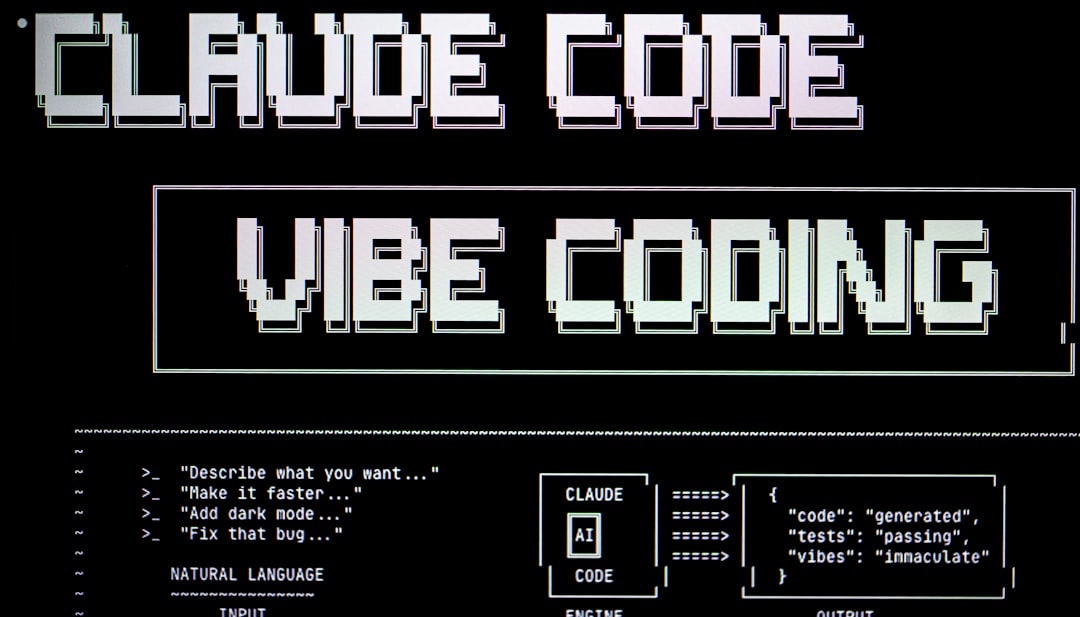
Why Claude AI Vibe Dev Is Changing How Software Gets Built
Claude AI vibe dev is the practice of building real, working software by describing what you want in plain English — and letting Claude handle the code.
Here’s the quick version of how it works:
| Step | What You Do | What Claude Does |
|---|---|---|
| 1. Describe your idea | Write your vision in natural language | Asks clarifying questions |
| 2. Plan | Review the proposed approach | Generates modular architecture |
| 3. Build | Give feedback and direction | Writes, edits, and runs code |
| 4. Iterate | Test and refine | Fixes bugs, adds features |
| 5. Deploy | Push to Vercel or Netlify | Handles boilerplate setup |
The results speak for themselves. Real builders have gone from zero coding experience to a working, deployed app in under 72 hours. Y Combinator’s latest batch shows 25% of startups now have codebases that are 95% AI-generated.
Andrej Karpathy — the researcher who coined the term “vibe coding” in early 2025 — described his own process bluntly: “I just see things, say things, run things, and copy-paste things, and it mostly works.”
That’s the spirit of it. You stop thinking like a syntax writer. You start thinking like a product architect.
This isn’t just for experienced engineers, either. Designers, founders, and total beginners are shipping real products using Claude as their senior developer. The barrier to building software has never been lower.
But there are real pitfalls. Apps that start fast can collapse under their own weight without the right structure. Knowing how to use Claude AI vibe dev — not just that you can — is what separates shipped products from abandoned side projects.
I’m the RVCJ Editorial team at Remote Vibe Coding Jobs, covering AI-assisted development and career guidance for engineers building with tools like Claude Code, Cursor, and Windsurf — including everything you need to know about claude ai vibe dev workflows. We’ve tracked this space from the earliest Reddit threads to the multi-agent pipelines developers are running today, so you get practical, tested guidance rather than hype.
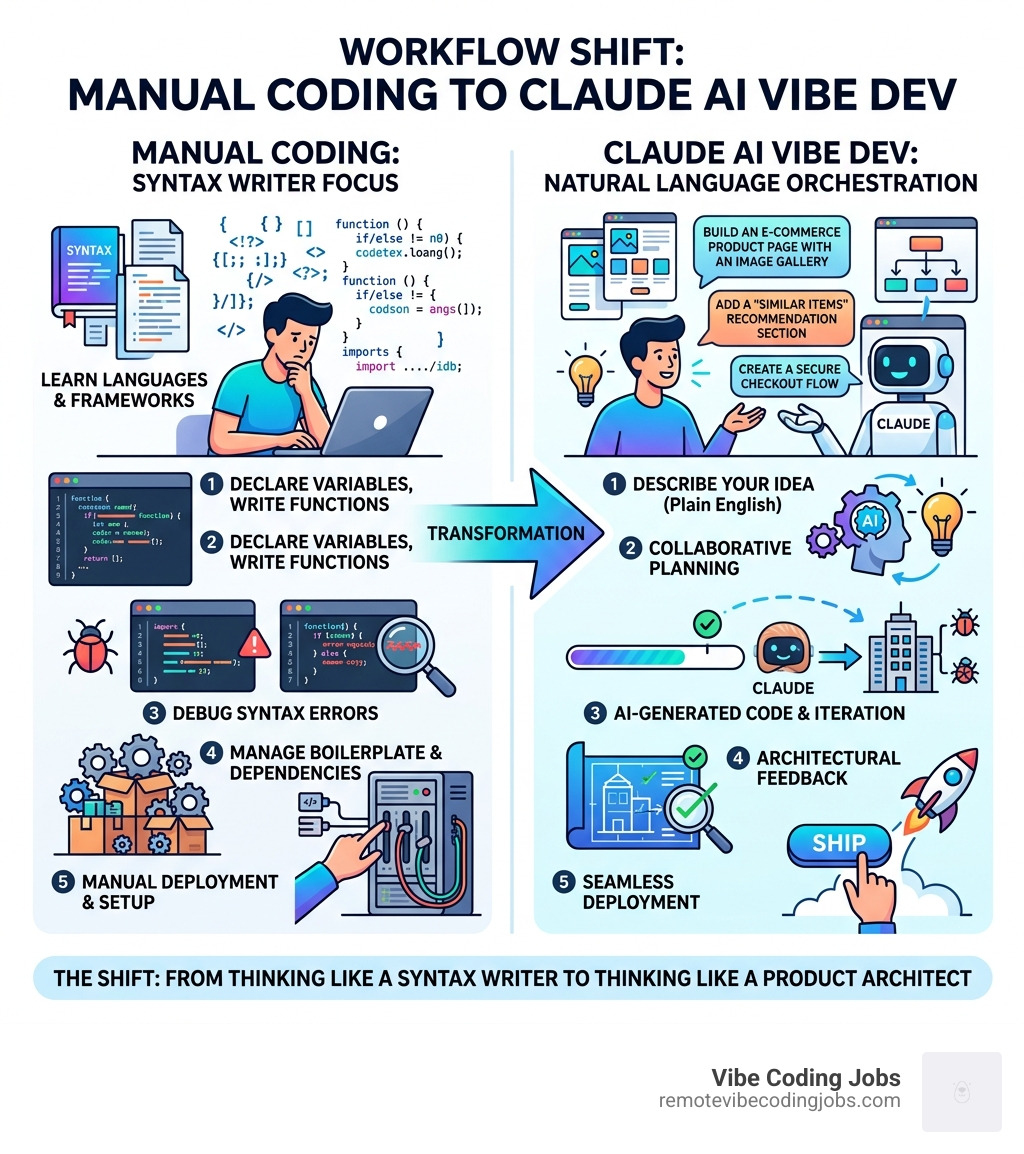
The Mechanics of Claude AI Vibe Dev
To understand claude ai vibe dev, we have to look past the chat box. While the web interface is great for brainstorming, the real “vibe” happens when Claude has direct access to your files. This is made possible through agentic AI—tools that don’t just talk about code but actually execute it.
The primary engine behind this movement is the Claude Code CLI. Unlike a standard chatbot, this is a terminal-based agent that can read your entire project, run terminal commands, and edit files directly. It acts as a universal AI agent that hides in your terminal, making it accessible even for those who aren’t traditional “command line” experts.
According to Vibe Coding | ClaudeLog, the core mechanic is a detachment from code details to focus purely on the outcome. You are essentially “revving the engine” of the AI, using iterative loops to move from a vague idea to a concrete implementation. This shift is reflected in the massive growth of tools like Tools Claude Code, which has seen usage skyrocket by 300% since the launch of the Claude 4 models.
Setting Up Your Claude AI Vibe Dev Environment
Getting started with claude ai vibe dev requires a few key pieces of infrastructure. You aren’t just copy-pasting code from a browser; you’re building a “cockpit” for your AI partner.
- Claude Desktop & Claude Code CLI: This is your home base. You’ll want to install the CLI so Claude can “see” your local folder.
- Model Context Protocol (MCP): This is a game-changer for 2026. MCP allows Claude to connect securely to your local data, tools, and even external APIs via OAuth. It’s what gives the AI the “context” it needs to be useful.
- VS Code & Cursor Integration: While the terminal is powerful, many vibe coders use Cursor (an AI-native fork of VS Code) alongside Claude Code. This allows you to see the file changes in real-time.
For a deeper dive into the specific hardware and software requirements, check out our guide on Must-Have AI Tools Vibe Coding.
Mastering the Claude AI Vibe Dev Workflow
Vibe coding isn’t just “prompting and praying.” It’s a disciplined interaction model. We recommend three specific techniques:
- Plan Mode: Before a single line of code is written, use Plan Mode (Shift + Tab in many interfaces). Force Claude to write a
plan.mdfile. Review it. If the plan feels “off,” the code will be worse. - Ultrathink: In 2026, the best models have an “ultrathink” capability. Use this for complex logic. It forces the AI to simulate edge cases and potential failures before it starts typing.
- The Why-Loop: Every time Claude makes a change, ask: “Why did you choose this implementation?” This turns a development session into a Socratic learning experience, helping you understand the “why” behind the “vibe.”
For those moving from traditional editors to AI-native ones, our Vibe Coding with Cursor Tutorial explains how to sync these workflows for maximum speed.
Building Your First App: A Step-by-Step Beginner Guide
Building your first app with claude ai vibe dev should feel like a conversation, not a chore. The goal is to go from “prompt to live” as fast as possible to maintain your momentum.
- Define the Spine: Start by telling Claude the core purpose. “Build a minimal personal finance tracker with a dashboard and a transaction list.”
- Modular Architecture: Explicitly instruct Claude to keep files small. Avoid “mega-files.” Ask for a “hexagonal” or “modular” structure where the UI is separate from the logic.
- Throwaway Prototypes: Don’t be afraid to scrap the first version. Vibe coding allows you to generate three different versions of a UI in 15 minutes. Pick the one that “feels” right.
You can find a detailed walkthrough of this process in our Vibe coding tutorial: Build your first app with Claude Code or our own Learn Vibe Coding Tutorial.
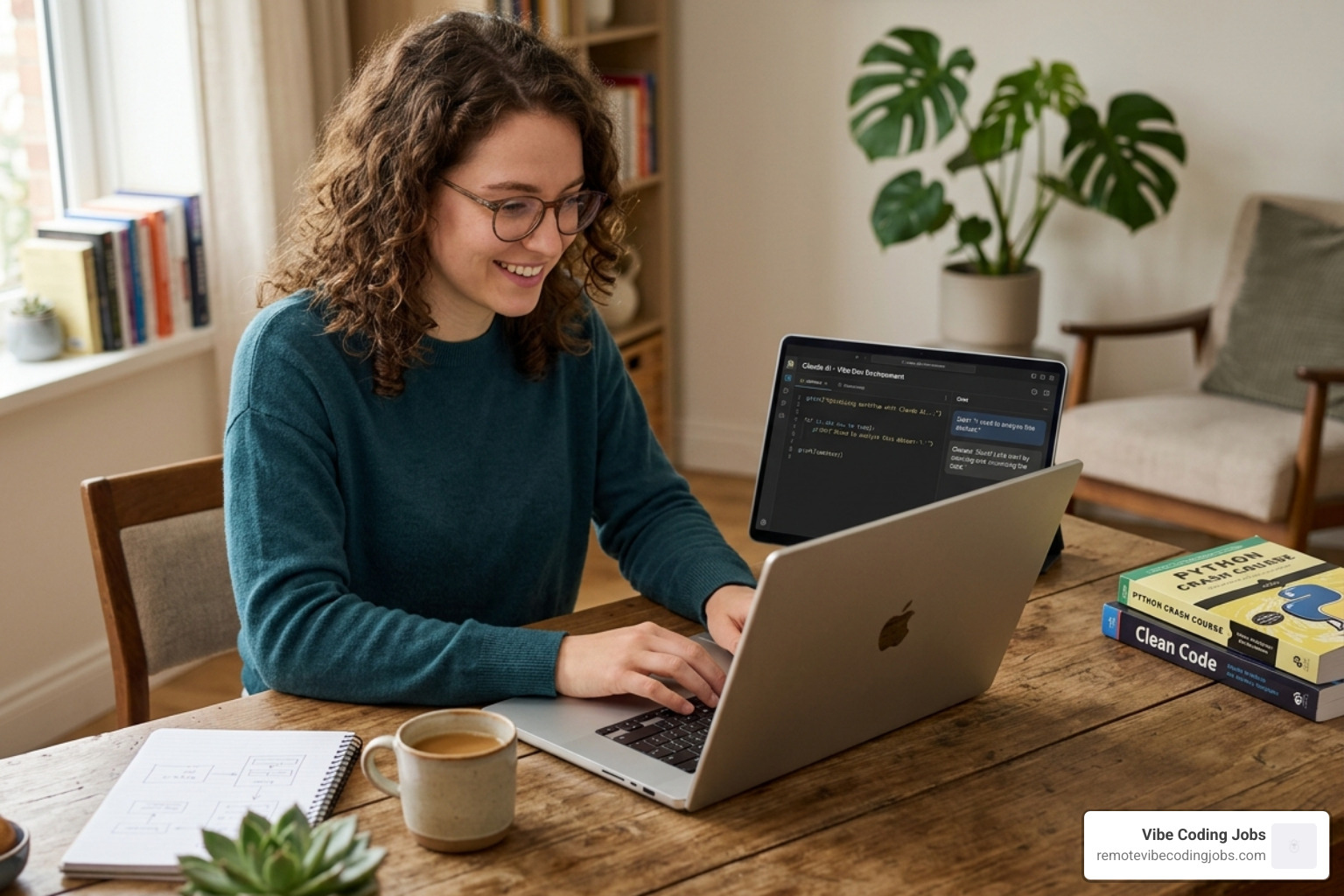
From Idea to Deployment in 72 Hours
The “72-hour launch” is the gold standard for vibe coders. We’ve seen beginners use Vibe Builder tools to scaffold an entire Next.js app, connect it to a database, and host it on Vercel or Netlify in a single weekend.
The secret is rapid iteration. Instead of spending hours debugging a CSS margin, you simply tell Claude: “The header feels too cramped, give it more breathing room and make it look like the Stripe dashboard.” This high-level intent is the essence of What is Vibe Coding.
Learning Programming Fundamentals via the Why-Loop
We often get asked: “Do I need to learn to code first?” The answer in 2026 is: Learn while doing.
As Claude builds your app, use it as a tutor. When it generates an API call, ask it to explain what a “POST request” is. This “just-in-time” learning is far more effective than sitting through a 40-hour boot camp. Tools like explanatory plugins can also help highlight logic patterns as they appear in your codebase. Learn more about this at How to Vibe Coding AI Tools Beginner.
Avoiding the Vibe Slop: Architecture and Technical Debt
There is a dark side to claude ai vibe dev: “Vibe Slop.” This happens when you prompt without a plan, resulting in a messy, unmaintainable codebase that breaks the moment you try to add a new feature.
To avoid this, we use Context Engineering.
| Vibe Prompting (The Wrong Way) | Context Engineering (The Right Way) |
|---|---|
| “Make me a todo app.” | “Build a modular Todo app using React and Tailwind. Use a separate useTodos hook for logic.” |
| “Fix the error.” | “Analyze the stack trace in the terminal and propose a fix that doesn’t break the auth flow.” |
| Copy-pasting code blocks. | Using Claude Code to edit files directly with tactical commits. |
We recommend using a CLAUDE.md file in your project root. This file acts as a “manual” for the AI, defining your tech stack, UX goals, and “anti-vibes” (things you want to avoid, like generic ‘slop’ designs). To track your progress and see where your time is going, tools like Vibe-Log – Understand Your AI Coding Patterns are essential for identifying if you’re spending 70% of your time debugging—a sure sign of technical debt.
The 10% Rule: Why Engineering Knowledge is a Multiplier
Legendary developer Kent Beck once noted that while 90% of traditional programming skills are becoming commoditized, the remaining 10%—the ability to architect, debug, and review—becomes 1000x more valuable.
As a vibe coder, your role shifts from “writer” to “editor-in-chief.” You must be able to perform a security review and a technical validation of what Claude produces. Even if you didn’t write the code, you are responsible for it. This is why the Best AI Coding Tools Vibe Coders 2026 focus heavily on review and testing features.
Scaling Vibe-Coded Apps for Production
When your app moves past the “vibe” stage and into production, you need a different gear. This involves:
- Refactoring Cycles: Periodically ask Claude to “Refactor the codebase for performance and readability.”
- Error Handling: Don’t just build the “happy path.” Vibe code your error boundaries and logging.
- Automated Testing: Use Claude to write unit tests for the code it just generated.
For a comparison on which tools handle this scaling best, see Claude Code vs Copilot for Developers in 2026.
Scaling to a Million Dollar Product in 2026
Building a million-dollar app in 2026 isn’t about having the largest dev team; it’s about having the highest AI leverage. We are seeing teams achieve 5x productivity gains by adopting an “AI-orchestration” mindset.
Startups in the current Y Combinator batches are proving that you can reach product-market fit with a codebase that is almost entirely AI-generated. The focus has shifted to Product Engineering—understanding the user’s pain and using claude ai vibe dev to solve it instantly.
In an async-first culture, being “AI-fluent” is the ultimate competitive advantage. Whether you are a solo founder or part of a growing team, mastering AI Coding Tools for Vibe Coding is how you stay ahead of the curve.
Frequently Asked Questions about Vibe Coding
Can I vibe code with zero programming experience?
Yes. The barrier to entry has never been lower. You can start with natural language prompts in the Claude web UI to build prototypes. However, as you grow, you’ll want to learn the basics of how files connect so you can guide the AI more effectively. Check out the Docs – vibe-coded.ai for a “quickstart” that takes you from prompt to live app in 90 seconds.
How does Claude Code differ from other AI tools?
Unlike standard assistants, Claude Code is “agentic.” It lives in your terminal and has “permission” to run commands, research your files, and fix bugs autonomously. It’s less like a chatbot and more like a junior developer sitting next to you. It uses usage-based pricing through the Anthropic API, which is often more cost-effective for heavy users.
Is vibe-coded software secure for production?
It can be, but it requires human oversight. AI can sometimes introduce vulnerabilities or “hallucinate” insecure configurations. Always use Claude to help you write security tests, and consider a manual review of critical paths (like authentication or payment processing) before going live.
Conclusion
The future of software development isn’t about who can type the fastest; it’s about who can “vibe” the best. By shifting your mindset from a manual coder to a strategic architect, you unlock the ability to build complex, million-dollar applications at a fraction of the traditional cost and time.
At Remote Vibe Coding Jobs, we believe that AI-fluent developers are the new elite. The traditional career ladder might be changing, but the opportunities for those who can orchestrate Claude and other agentic tools are exploding.
Ready to take your vibe coding skills to a professional level? Browse our curated listings of remote roles at companies that value AI-first workflows.
Find your next opportunity at https://remotevibecodingjobs.com.