Mastering the Best Free Vibe Coding Tool Online
Why Every Developer Is Looking for a Free Vibe Coding Tool Right Now
The best free vibe coding tool options available in May 2026 include:
| Tool | Best For | Free Tier |
|---|---|---|
| Google AI Studio | Gemini 2.5 access, long context | Unlimited (with limits) |
| Replit AI | Full-stack, browser-based, 50+ languages | Free tier available |
| Gemmit | Local dev, privacy-first | 1,000 calls/day, no API key |
| p5js AI Cloud IDE | Creative/generative coding | Free, no API key needed |
| GitHub Copilot | In-editor completions | 2,000 completions free |
| Bolt.new | Rapid MVP prototyping | Free tier available |
| Aider | Terminal-based, open-source | Free, bring your own key |
Software development is changing fast. In February 2025, AI researcher Andrej Karpathy coined the term “vibe coding” — describing a style of programming where you describe what you want in plain English and let AI write the code. You stop thinking about syntax. You start thinking about what you want to build.
The numbers back up the shift. Developers using AI coding tools report up to 55% faster coding speeds. Tools like Lovable can shrink MVP development from weeks to just hours. And analysts project that citizen developers will soon outnumber professional developers 4 to 1.
The catch? Most of the best tools cost money — or so it seems.
There are genuinely powerful free options out there. Some require no API keys. Some run entirely on your local machine. Some give you access to frontier models like Claude 4.5 and GPT-5.1 at zero cost. You just need to know where to look.
I’m RVCJ Editorial, the content team behind Remote Vibe Coding Jobs — we cover AI-assisted development workflows, vibe coding career trends, and tool comparisons to help developers find and land remote AI-first roles using the best free vibe coding tool options available. In this guide, we break down exactly which tools are worth your time in 2026 and how to get the most out of them.
What is Vibe Coding and Why It’s Dominating 2026?
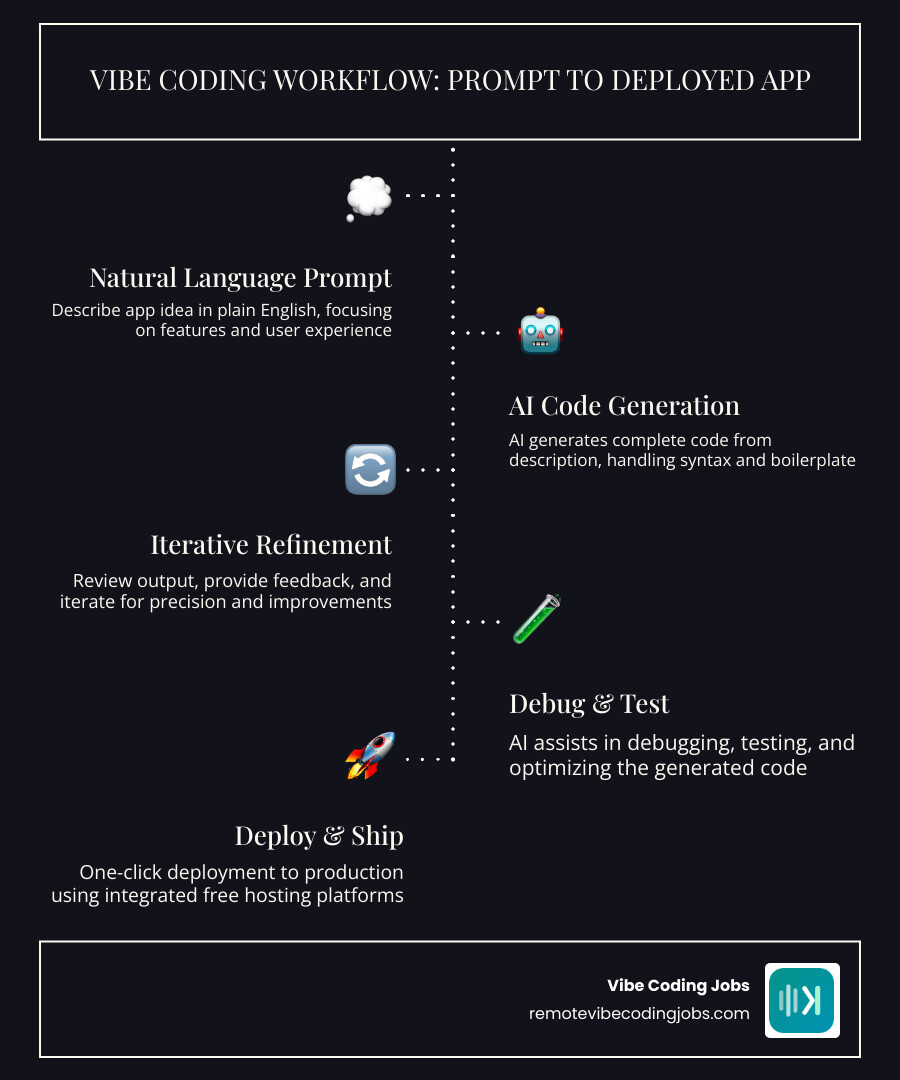
By May 2026, the term “vibe coding” has moved from a niche Twitter trend to the industry standard for rapid software creation. At its core, What is Vibe Coding is a paradigm shift. It is the transition from manual syntax entry to intentional design.
When Andrej Karpathy first described vibe coding, he highlighted a world where the keyboard is used less for typing semicolons and more for describing high-level logic. In this era, we aren’t just “writing code”; we are curating the “vibe” of an application through natural language prompts. This allows us to focus on the user experience and system architecture while the AI handles the heavy lifting of boilerplate and debugging.
This movement has fueled the rise of the “citizen developer.” As the Vibe Coding: AI Coding Assistant ecosystem matures, the barrier to entry has crumbled. We are now seeing a world where people who never studied computer science are building functional, full-stack applications.
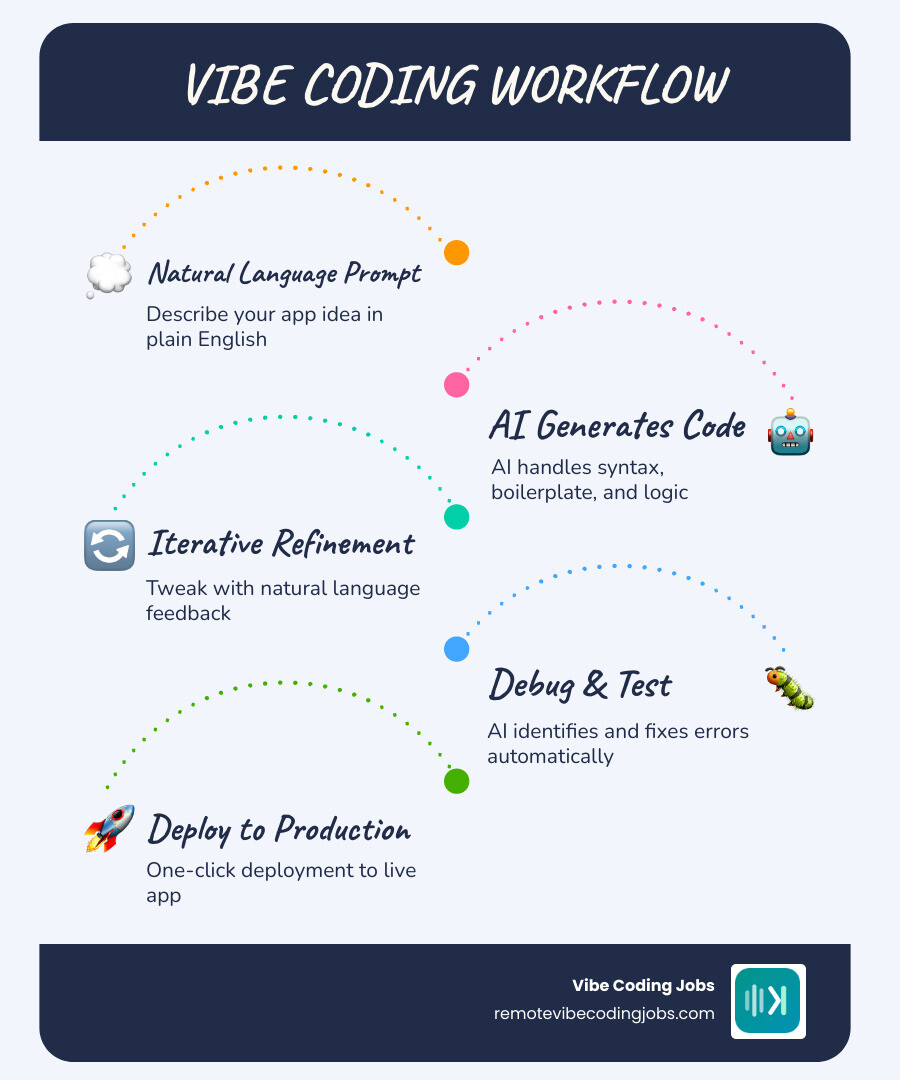
The reason for this dominance is simple: efficiency. Why spend four hours debugging a CSS grid when you can “vibe” it into existence in fifteen seconds? For us at Remote Vibe Coding Jobs, we see this reflected in the job market every day. Companies are no longer just looking for “Java Developers”; they are looking for “Vibe Coders” who can leverage a free vibe coding tool to deliver MVPs in record time.
Finding the Ultimate Free Vibe Coding Tool for Your Workflow
Navigating the sea of AI tools can be overwhelming. Some tools are better for terminal junkies, while others are perfect for those who want a “prompt-to-app” experience. To find your ideal free vibe coding tool, you first need to identify your output goal.
If you are looking for rapid prototyping, tools like Bolt.new and Lovable have set the standard. Bolt.new is famous for its speed, often generating functional web previews in under 15 seconds. Meanwhile, Essential AI Tools for Vibe Coding like Lovable focus on the “design-to-code” bridge, allowing you to turn a simple description into a polished UI.
For those who prefer a traditional IDE experience but with AI superpowers, the Vibe Coder Tools: Copilot & Cursor debate continues. Cursor, which has reached over 7 million users, offers a free tier with 2,000 code completions. While not “unlimited,” it provides enough runway for many small projects. However, if you want to Generate, Debug, and Ship Code Faster without hitting a paywall immediately, you should look toward platforms with more generous free access.
Why Google AI Studio is a Top-Tier Free Vibe Coding Tool
In the search for a truly free vibe coding tool, Vibe Coding | Google AI Studio is often the “secret weapon” for experienced developers. Why? Because it provides direct access to the latest Gemini models (like Gemini 2.5 Flash and Pro) with a massive context window.
The context window is the “memory” of the AI. While some free tools forget what you said ten minutes ago, Google AI Studio can ingest entire codebases. This makes it perfect for “vibe coding” complex features where the AI needs to understand how the frontend interacts with the backend across dozens of files. Best of all, it remains free for developers to experiment with, offering high rate limits that put many paid competitors to shame.
Gemmit: The Best Free Vibe Coding Tool for Local Development
If you are worried about “vendor lock-in” or privacy, Gemmit – Free AI Vibe Coding Platform | No Vendor Lock-In is a game-changer. Unlike hosted platforms that keep your code on their servers, Gemmit allows for a more local, privacy-focused experience.
Gemmit stands out because it offers 1,000 free calls per day using Gemini models in a local environment without requiring your own paid API keys. This is unheard of in the industry. For developers who want to keep their “vibes” private while still enjoying the speed of AI generation, Gemmit is arguably the best free vibe coding tool available in 2026.
Comparing Hosted Platforms vs. Open-Source AI Agents
When choosing a workflow, you’ll eventually have to decide between hosted platforms (where everything happens in the browser) and open-source agents (which run on your machine).
| Feature | Hosted Platforms (Replit, Bolt.new) | Open-Source Agents (Aider, OpenInterpreter) |
|---|---|---|
| Setup Time | Zero (Browser-based) | Moderate (Terminal/Python) |
| Privacy | Low (Code on their servers) | High (Local execution) |
| Model Choice | Limited to platform defaults | Highly flexible (Bring your own API) |
| Deployment | One-click | Manual / Scripted |
The AI Coding Tools Evolution has seen a massive surge in “agentic” tools. Tools like Aider and OpenInterpreter work directly in your terminal. They don’t just suggest code; they can actually run it, see the errors, and fix them themselves.
For those who want to compare multiple AI “opinions” at once, Vibe Kanban allows for parallel AI coding. You can see how Claude, GPT, and Gemini each solve the same problem side-by-side. This is particularly useful when you’re stuck on a bug and need a “second opinion” from a different model.
Choosing between Claude Code vs Copilot for Developers in 2026 often comes down to the “vibe” of the model’s logic. Claude is often praised for its creative coding and nuanced understanding, while Copilot remains the king of autocomplete.
Specialized Solutions: Creative Coding and Accessibility
Vibe coding isn’t just about building SaaS dashboards; it’s also about art and inclusion. One of the most unique tools we’ve tested is the p5js AI Cloud IDE | Free IDE Optimized for Vibecoding with p5.js.

This tool is specifically designed for creative coding. It allows you to use models like Claude 4.5 and GPT-5.1 to generate interactive visualizations and algorithmic art. You can simply type “create a particle system that reacts to music vibes” and watch the code come to life in a live preview.
What makes this platform truly special is its focus on accessibility. Research has shown that AI translation accuracy drops 17-20% when processing dyslexic text. Since dyslexia affects up to 17% of the population, this is a major hurdle for the “citizen developer” movement. The p5js AI IDE implements inclusive design features to ensure that everyone, regardless of how they process text, can participate in vibe coding. This commitment to diversity is a key reason why we recommend it as a specialized free vibe coding tool.
Furthermore, understanding the Top Programming Languages for Vibe Coding 2026 is crucial. While AI can write almost anything, it excels at Python and JavaScript (especially React and p5.js), making these the safest bets for high-accuracy vibe coding.
Best Practices for Building Full-Stack Apps with Free Tools
Can you actually build a full-stack app using only a free vibe coding tool? The answer is a resounding yes, but you need the right workflow.
According to the Vibe Coding with AI: A Beginner’s Practical Guide 2026, the secret is iterative refinement. You don’t just dump a 5,000-word prompt and hope for the best. You build in layers.
- The Blueprint Phase: Use a tool like Google AI Studio to define your database schema and API endpoints.
- The UI Phase: Use Bolt.new or Lovable to “vibe” the frontend components.
- The Integration Phase: Bring it all together in a local editor like Cursor or VS Code using the best free vibe coding workflow discussed by the community (often a mix of VS Code + Aider).
One major pitfall of free tools is the “hallucination” factor. AI is getting better, but it still makes mistakes. We always recommend maintaining “human oversight.” Don’t just blindly accept every “vibe.” Test the code locally, use the AI to explain what it just wrote, and never skip the debugging phase.
Frequently Asked Questions about Free Vibe Coding Tools
Which free tool offers the most daily AI calls?
In 2026, Gemmit is the leader here, offering 1,000 free calls per day. Google AI Studio also offers incredibly generous limits for its Gemini 2.5 models, making it a top contender for power users who don’t want to pay for a subscription.
Can I build a professional MVP using only free vibe coding tools?
Absolutely. Many developers use Bolt.new to generate the initial frontend and Supabase (which has a great free tier) for the backend. By combining these with a free vibe coding tool for logic generation, you can ship a functional product without spending a dime on software licenses.
Do I need to know how to code to use these tools in 2026?
Technically, no. You can build a lot just by “vibing.” However, having a basic understanding of logic will help you guide the AI when it gets stuck. Think of yourself as a director: the AI is the actor, and the code is the script. You don’t need to be the actor, but you do need to know if the scene looks right.
Conclusion
The world of development has been democratized. Whether you are a seasoned pro looking to double your speed or a beginner with a dream, there is a free vibe coding tool out there for you. From the creative freedom of the p5js AI IDE to the raw power of Google AI Studio, the barriers to creation have never been lower.
At Remote Vibe Coding Jobs, we believe this is the most exciting time to be in tech. The “vibe” is strong, and the opportunities are endless. If you’re ready to take your new skills into a professional environment, we invite you to explore More info about vibe coding career opportunities on our platform. We curate the best remote roles at companies that embrace this AI-first future.
Happy vibing!